How to Create Product Videos That Actually Convert

Learn how to create product videos that convert. This guide covers planning, scripting, shooting, and editing to drive sales and engage your audience.

Mar 5, 2026

Want to create a product video that actually sells? Don't just point and shoot. The videos that get results—the ones that drive sales, not just views—all start with a solid game plan. This is your blueprint.

It all boils down to three things: knowing your ideal customer inside and out, setting a single, measurable goal, and picking the right video format to make it all happen. Nail this foundation, and every second of footage you shoot will have a purpose.

Build Your Video Blueprint for Maximum Impact

Before you ever touch a camera, you need a plan. This is what separates a video that moves the needle from one that just adds to the noise online. Let's get beyond the generic advice and focus on what really works.

First, you have to get painfully specific about who you're talking to. Go way deeper than basic demographics.

  • What are their day-to-day frustrations that keep them up at night?

  • What other solutions have they tried that just didn't cut it?

  • What’s the one thing they secretly hope your product will finally solve for them?

Think about it. If you’re selling a project management tool, you aren't just selling to "managers." You're selling to an exhausted team lead who’s sick of chasing down status updates and lives in fear of a critical deadline slipping through the cracks. Your video needs to speak directly to that person's reality.

Set Clear and Measurable Goals

Once you know exactly who you're talking to, you can decide what you want them to do. A video without a clear goal is just a pretty distraction. A video with a goal is a workhorse for your business.

What one action should a viewer take right after watching?

Your answer changes everything—the script, the tone, the call to action, all of it. Are you trying to:

  • Boost landing page conversions? You’ll need a short, punchy demo that gets right to the point.

  • Slash your support ticket volume? An in-depth "how-to" or tutorial video will be your best friend.

  • Drive those first critical sales for a new launch? A compelling problem-solution story is the way to go.

I see so many companies make the same mistake: trying to make one video do everything. A video built for brand awareness feels completely different from one designed to close a sale. You have to pick one primary goal and build your entire video around it.

This simple workflow shows you exactly how these pieces fit together.

Flowchart outlining the video blueprint process: define customer, set goal, pick format.

See? A great video isn't an accident. It’s the result of a deliberate strategy, not a random stroke of creative genius.

Pick the Right Video Format

Finally, you get to choose a format that makes sense for your audience and your goal. There’s no such thing as the "best" type of product video—only the one that’s right for the job. If you want to go deeper on this, our guide on building a https://unfloppable.com/blog/video-content-marketing-strategy is a great place to start.

Here are a few powerful formats that consistently get results:

  • The 'How-It-Works' Demo: Absolutely essential for SaaS or tech products. Show the interface in action and make the abstract feel tangible.

  • The Unboxing Video: Creates genuine excitement and shows off a physical product in a real-world, authentic setting.

  • The Problem-Solution Story: A classic for a reason. This narrative format frames your product as the hero the viewer has been looking for.

To really get this right, a good video product marketing playbook can walk you through everything from planning and production to testing and scaling. When you commit to the blueprint phase, you stop just making videos and start creating assets engineered for maximum impact.

Scripting and Storyboarding for Engagement

Let’s be honest—a fancy camera won’t save a bad product video. The real magic happens long before you hit record. It’s forged in the planning phase, with a script that truly connects and a storyboard that acts as your roadmap. This is where your strategy becomes a story.

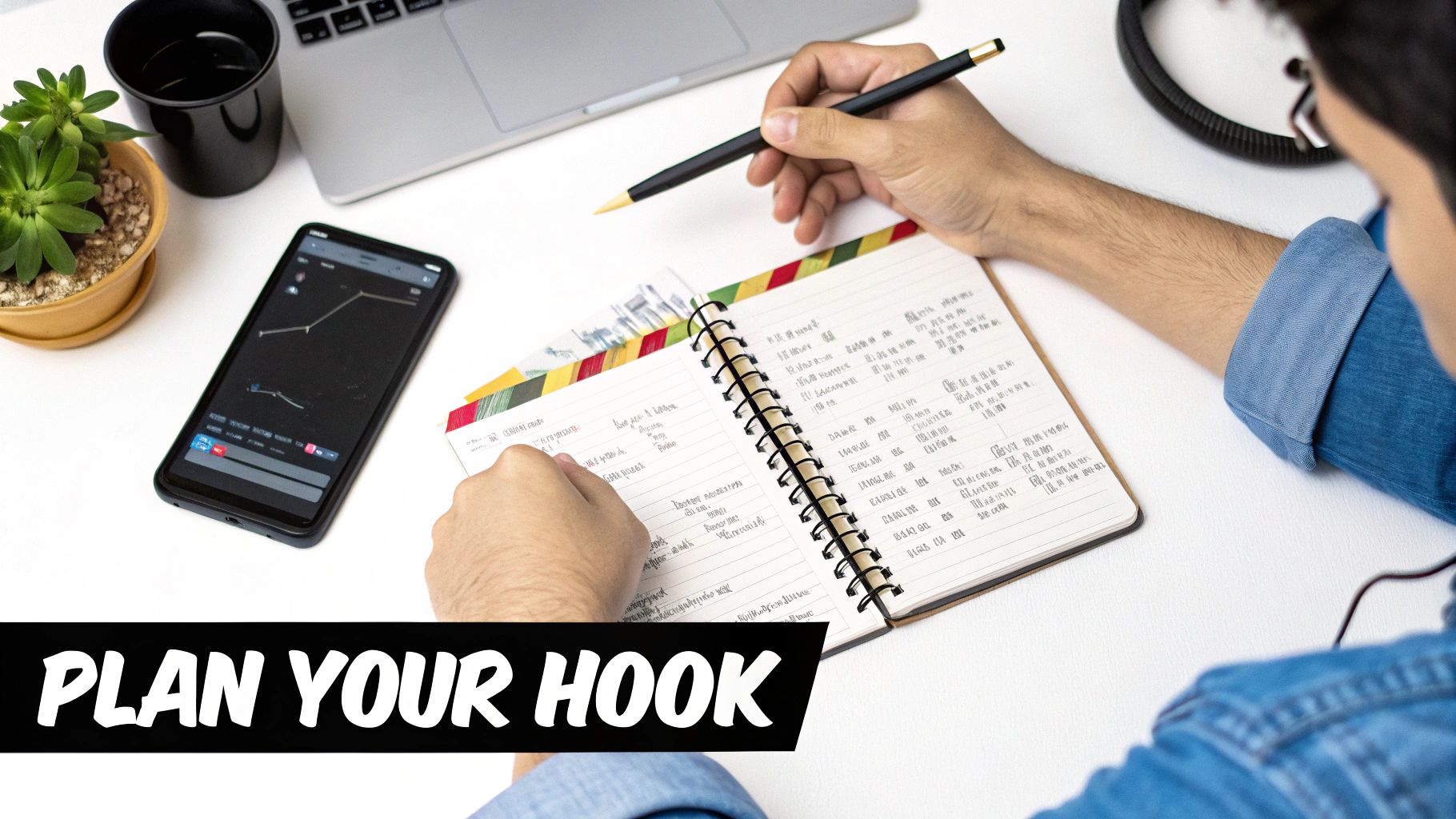
A desk setup with a laptop displaying video blueprints, a notebook, pen, and phone, with a plant in the background.

Most people get this wrong. They jump straight to listing features, but your audience doesn't care about the what. They’re looking for the so what? A script that actually works is built around a simple, relatable story that speaks directly to a problem they're desperate to solve.

Crafting a Script That Connects

You have about three seconds. That’s it. In that tiny window, you need a hook that stops their scroll and makes them listen. Forget the polite introductions. Hit them with a sharp question, a jaw-dropping stat, or a pain point they know all too well.

For instance, "Introducing our new project management tool" is an instant tune-out. But what if you started with, "Still chasing down status updates in endless email chains?" Now you’re not selling; you’re empathizing. You’ve got their attention.

From there, the structure is classic for a reason. It just works:

  • The Problem: Get specific about the challenge your ideal customer is wrestling with. Use their words, not yours.

  • The Solution: Introduce your product as the hero of the story—the answer to that specific problem.

  • The Transformation: This is key. Show them the "after" state. How is their life or work tangibly better now?

  • The Call to Action (CTA): Tell them exactly what to do next. Be clear and direct, whether it’s to start a trial or buy the product.

This simple framework shifts the entire focus from your product's features to your customer's success. That’s persuasion.

Writing for the Ear, Not the Eye

A video script isn't an essay; it’s a conversation waiting to happen. It has to sound natural when spoken aloud. My best advice? Read every single line out loud as you're writing. If a sentence feels clunky or you stumble over a word, it’s a red flag. Your audience will feel it, too.

A script is a tool for communication, not a literary masterpiece. If a line feels clunky when you say it, your audience will feel it too. Cut it. Simplify. Always aim for clarity and authenticity over formal, corporate-speak.

This is non-negotiable, especially for social media, where authenticity reigns. The numbers don't lie: 73% of consumers actually prefer watching short-form videos to learn about a product. And get this—videos on social platforms can generate a mind-boggling 1200% more shares than text and images combined. Connection drives action. If you want to go deeper, checking out more video marketing statistics can really help shape your creative approach.

Visualizing Your Story with a Storyboard

Once your script feels solid, it's time to map it out visually with a storyboard. Don't worry, you don't need to be an artist. A storyboard is just a sequence of rough sketches that shows what will be on screen for each line of your script.

Think of it like a comic-book version of your video. You can use whatever tools you have on hand:

  • Pen and Paper: The classic. Just draw a few squares on a page and scribble in the basic action.

  • A Slide Deck: This is my go-to. Use Google Slides or PowerPoint. Each slide is a shot, with a visual description on one side and the script on the other.

  • Storyboard Templates: A quick search will turn up plenty of free templates you can print out or fill in digitally.

Trust me, this process is your secret weapon for a smooth, stress-free shoot. It forces you to think through every shot you need, plan for B-roll, and see how the final edit will flow before you've even picked up a camera. It turns a chaotic idea into an actionable plan and is the final gut-check before creating product videos that actually deliver.

Practical Recording Tips for Authentic Results

Now for the fun part. You’ve got your plan and your script—it’s time to actually start filming. Forget the idea that you need a massive budget or a professional studio. The truth is, the most persuasive product videos feel real and relatable, and you can absolutely nail that look with the smartphone in your pocket.

A person writes on a script or storyboard document at a wooden desk, planning out a project.

The single most important rule to follow is simple: show, don’t just tell. Viewers don't connect with descriptions; they connect with action. Instead of listing features, let people see your product in motion. Get hands-on. Unbox it, push the buttons, demonstrate how that one component clicks satisfyingly into place. These are the moments that build trust and make your product feel tangible.

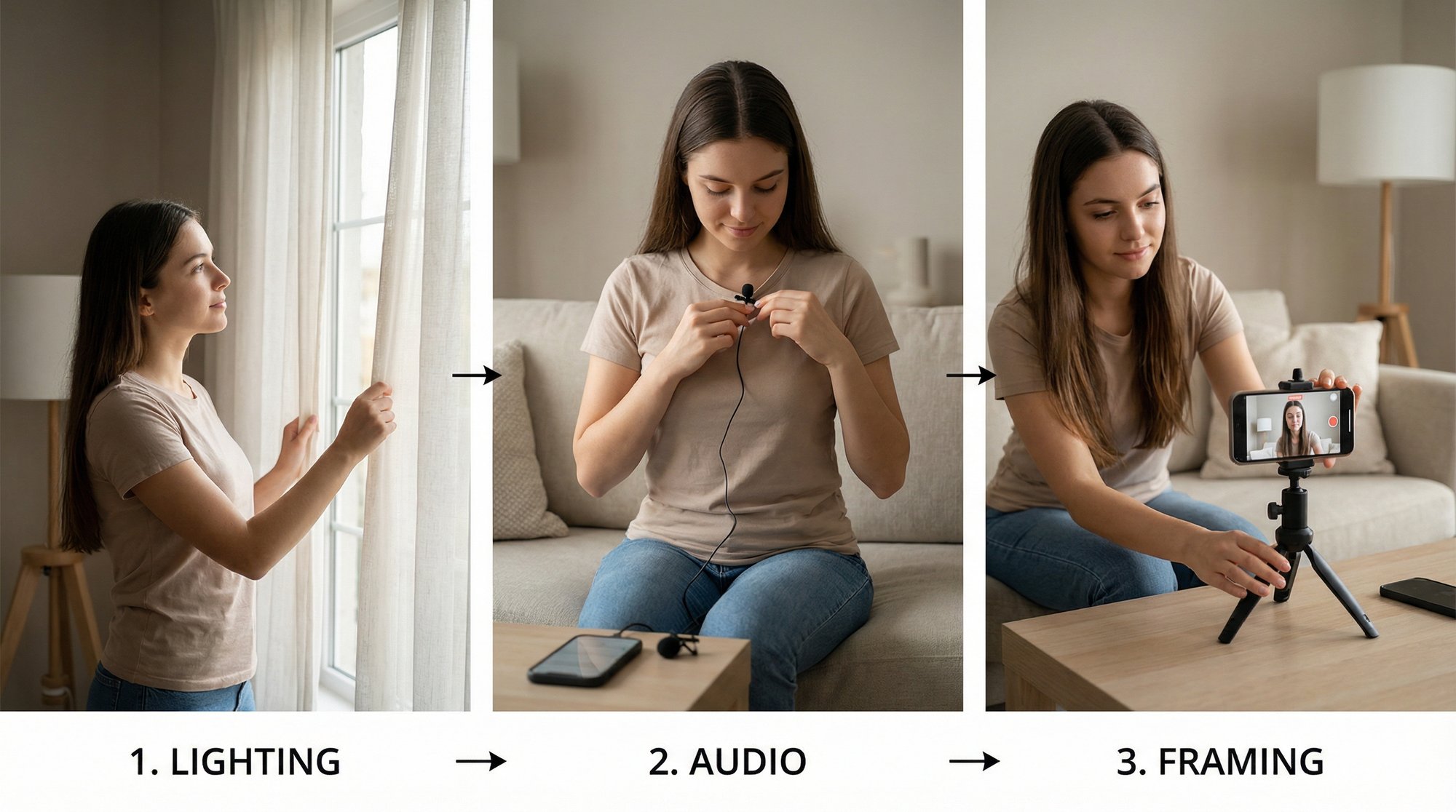
Your phone is an incredible camera, but it can’t work miracles on its own. The secret to getting professional-looking results lies in controlling your environment. And that starts with the two things that will make or break your video: light and sound.

Master Your Lighting and Audio

Great video quality isn't about the camera—it's about what the camera sees and hears. Nothing screams "amateur" faster than a poorly lit shot and muffled audio. These are the fastest ways to lose a viewer's trust before you even get to your main point.

Natural light is your best friend, and it’s free. Try to film facing a large window. That soft, diffused light is incredibly flattering for both you and your product. Just make sure the window isn't behind you, or you’ll end up as a dark, faceless silhouette against a bright background. If you're stuck filming at night or in a dark room, a simple ring light is a game-changing (and cheap) investment.

Believe it or not, audio is even more important than video. People will forgive a slightly grainy image, but they have zero patience for sound that's echoing, muffled, or hard to understand. Your phone’s built-in mic is designed to pick up every sound in the room, which is the last thing you want.

Trust me on this: the best way to level up your audio is with a cheap lavalier microphone. You can get a solid one for under $20 that clips right onto your shirt and plugs into your phone. The difference in clarity is night and day and will instantly make your video feel more polished.

Frame Your Shots for Impact

How you frame your product isn't just a technical detail; it's a storytelling tool. Don't just prop up your phone and start talking. Think like a filmmaker and use different angles to keep your audience hooked.

  • The Medium Shot: This is your go-to "talking head" shot, framed from the chest up. It feels personal and conversational, making it perfect for introductions or when you're explaining a concept.

  • The Close-Up: When you need to highlight a specific feature, get in close. Show off the texture of the material, a key button on the interface, or the quality of the stitching. This shot creates a feeling of intimacy and draws attention to detail.

  • The Top-Down Shot: Shooting from directly overhead is fantastic for unboxings, tutorials, and demos. It provides a clean, objective view that makes it easy for viewers to follow along.

The key is to mix it up. A video stuck on a single, static shot gets boring—fast. As a rule of thumb, try to change your angle or framing every 10-15 seconds. It’s a simple trick that keeps the energy up and makes the final edit feel much more dynamic.

Gather Compelling B-Roll Footage

B-roll is all the extra footage you film that isn't of you talking to the camera. It’s the secret sauce that turns a dry, static presentation into a dynamic story. While your voiceover explains a benefit, the b-roll shows that benefit in action. It's what you "cut away" to.

While you're filming, think about all the visuals that can reinforce your script. Get shots of your product from different angles. Capture a person's hands using it. Film the "before" state—like the disorganized workspace or frustrating process your product solves. For even more inspiration, check out our guide on creating high-quality AI B-roll. This extra footage is gold during the editing process, letting you cover up jump cuts and visually prove every point you make.

Editing: Where Your Story Clicks (Without Wasting Hours)

You’ve recorded all your clips. The hard part should be over, right? But for many of us, this is where the real headache begins. The editing process can feel like a mountain of tedious work, a true bottleneck that keeps great video ideas from ever seeing the light of day. But it doesn't have to be that way. There’s a much smarter, faster way to get from a folder of raw footage to a polished, publish-ready video.

A person records their hands writing in a notebook on a wooden table using a smartphone on a tripod.

At its core, editing is about putting your main talking-head footage (your 'A-roll') together and then layering in other visuals (your 'B-roll') to keep things interesting and illustrate your points. The challenge isn't just cutting clips; it's the soul-crushing hunt for the perfect B-roll that makes your message hit home and feel genuine.

Getting Your Clips Ready for the Magic

First things first, your main job is to clearly and confidently record your core message. Don't stress over small mistakes or pauses—you can clean those up later. Just focus on getting your ideas out with good, clean audio. This recording is the spine of your entire video.

Now, instead of dragging everything into a complicated editing program, you can use a much more efficient workflow. This is where a service like Unfloppable comes in. Think of it less as software and more as your personal video assistant. You just upload your talking-head clip, and it does the heavy lifting for you.

We’ve all been there: spending hours scrolling through stock photo sites, trying to find a visual that sort of fits, and then wrestling with software to make it all line up. The new approach lets you just be the expert. You provide the message, and smart tech finds the visuals to make it shine.

This completely frees you from the most time-consuming part of making product videos: the endless search for relevant content.

The Secret to Finding Authentic Visuals—Automatically

Let’s be clear: this isn't about slapping generic, AI-generated scenes into your video that feel disconnected and fake. A smart editing tool like Unfloppable works by listening to what you're actually saying and then automatically finding real, relevant visuals that match your words.

It pulls from a few key places to build out your narrative:

  • The Web: It can instantly source news clips, articles, social media posts, and other public visuals to provide concrete, real-world proof for what you’re saying.

  • Your Own Media: You can upload your product screenshots, screen recordings, brand assets, and existing B-roll. The system will intelligently place them exactly where they belong.

  • AI-Generated Imagery: For those rare moments when a specific visual just doesn’t exist, it can create a realistic image to fill the gap so your story never loses momentum.

This process is a game-changer for building credibility. Instead of that same tired stock video of "business people in a meeting," your video can show an actual screenshot of a customer’s glowing review or a chart from a recent industry report you mentioned. It transforms your video from a sales pitch into a well-researched, trustworthy piece of content.

Traditional Editing vs Smart Editing (Unfloppable)

The difference in workflow isn't just a minor improvement; it's a fundamental shift in how you create video content. When you compare the old way to the new, the benefits become crystal clear.

Aspect

Traditional Editing

Smart Editing (Unfloppable)

Time Investment

Hours or even days per video, spent searching for B-roll and syncing clips.

Minutes to upload your main take; the system handles the rest.

Skill Requirement

High. You need to be good with complex software like Premiere Pro or Final Cut Pro.

Low. If you can record yourself talking, you have all the skills you need.

Visual Sourcing

Entirely manual. You have to find, download, and organize every single visual asset yourself.

Automated. The service finds and inserts relevant visuals from the web or your library.

Authenticity

Often low. Relies on generic stock footage that can make your content feel bland and untrustworthy.

High. Prioritizes real-world context and your own media, building massive credibility.

This is more than just a time-saver. It's about staying competitive. Video is projected to make up 82% of all internet traffic by 2026, so efficiency is everything. On LinkedIn alone, videos are shared 20x more than other types of content, and AI-powered videos are already showing an 82% higher ROI. To get a deeper look at the trends, you can explore the latest video marketing insights here.

By embracing a smarter editing process, you're not just getting your time back—you're creating more effective, authentic videos that build trust and drive real results.

How to Publish and Promote Your Video for Results

You’ve finished the edit, rendered the final cut, and your product video looks amazing. It feels like the finish line, but really, you're just at the starting block. An incredible video that no one sees won't move the needle on sales or build your brand. The real work begins after you hit "publish."

Think of it this way: your video is the message, but each social platform is a completely different stage. You wouldn't deliver the same talk at a massive conference and an intimate workshop. In the same way, you have to package and present your video to fit the unique audience and unwritten rules of each platform.

Optimize for Each Social Platform

Resist the urge to just upload the same video file everywhere. That’s a surefire way to get ignored. Every platform has its own vibe, technical specs, and audience expectations. Your job is to meet them where they are.

  • Instagram Reels & TikTok: This is the land of fast-paced, sound-on content. If you don’t grab someone in the first two seconds, they’re gone. Use a strong visual hook, lean into trending audio if it fits your brand, and burn in bold, clear captions. Stick to a 9:16 vertical format and keep your message quick and to the point.

  • LinkedIn: The context here is professional, so you can afford to be a bit more in-depth. Frame your video as a solution to a common business challenge or as a piece of valuable industry insight. A 1:1 square or 4:5 vertical video takes up more screen real estate in the feed. Always pair it with a thoughtful caption that adds context and asks a question to spark a conversation.

  • YouTube Shorts: While it feels a lot like Reels and TikTok, remember that YouTube is fundamentally a search engine. This makes your title and description incredibly important. Think about the exact phrases someone would type into the search bar to find a product like yours and pack them in. We dive deep into this strategy in our guide on how to post a Short on YouTube.

Don't treat your captions and hashtags as an afterthought. A good caption adds value—it doesn't just repeat what the video says. Tell a mini-story, ask a provocative question, or share a surprising fact. For hashtags, use a healthy mix of broad industry terms (#ProductDemo), niche community tags (#SaaSTools), and your own branded hashtags (#YourBrandName).

Repurpose Your Content to Maximize Reach

You poured a ton of effort into that main video. Don't let it be a one-hit wonder. The most efficient marketers know how to take one core asset and slice it into a dozen different pieces of content. This lets you dominate the conversation without constantly starting from scratch.

From a single, solid 2-minute demo video, you can easily spin off:

  1. Three 30-second clips, with each one laser-focused on a single, powerful benefit.

  2. A few animated GIFs that loop a key feature in action—perfect for dropping into an email newsletter or a blog post.

  3. Quote cards featuring a compelling line from your script, designed as static images for platforms like Instagram or LinkedIn.

  4. The full audio track, which can be repurposed as a bite-sized podcast episode or audiogram.

This strategy keeps your content calendar full and your message consistent. You're reinforcing your value in different ways across different platforms, which is far more effective than just posting the same thing over and over.

The proof is in the numbers. Product pages that feature video see a 47% higher engagement rate. And when businesses use video well, the results are staggering—some report an 82% higher ROI from their video marketing. With 91% of consumers saying that video quality is a key factor in building trust, you can't afford to let your great content go unseen. You can explore more data on how video marketing boosts business at SellersCommerce.com.

Track the Metrics That Actually Matter

Finally, to know if any of this is actually working, you have to track your results. It’s tempting to chase "vanity metrics" like view counts, but views don't pay the bills. The true measure of success is how your video impacts your bottom-line business goals.

Zero in on the metrics that show you what's really happening:

  • Engagement Rate (Likes + Comments + Shares / Views): This tells you if people genuinely connect with your content, or if they're just scrolling past.

  • Click-Through Rate (CTR): Are people taking the next step? This shows if your call-to-action is compelling enough for them to click the link in your bio or caption.

  • Conversion Rate: Of those who clicked, how many actually signed up for a trial, downloaded a resource, or made a purchase? This is where the money is.

By watching this data, you create a powerful feedback loop. You'll quickly learn which hooks stop the scroll, which features get people excited, and which platforms send you the best customers. Use these insights to make your next video even smarter, turning your content from a creative exercise into a predictable engine for growth.

Common Questions About Creating Product Videos

Jumping into video for the first time can feel overwhelming. Even with a solid plan, a few nagging questions always seem to surface right when you're about to hit record. I hear them all the time from founders and marketers. Let's clear up the most common hurdles so you can start creating product videos that actually work.

How Long Should My Product Video Be?

There's no magic number here. The right length depends entirely on the platform and your goal.

For social feeds like TikTok or Instagram Reels, you have to be ruthless with your editing. Aim for 30 to 60 seconds. Your job isn't to give a full tour; it's to stop the scroll with a killer hook and drive home one single, compelling point.

On your product or landing page, you've earned a bit more of the viewer's attention. They're already there because they're curious. A 2 to 3-minute video usually hits the sweet spot, giving you enough runway to tell a complete story—problem, solution, transformation—without losing their interest.

The golden rule I always follow is this: be as brief as possible, but as long as necessary. Get to the good stuff immediately. We consistently see that videos under 90 seconds have way higher retention. Don't bury your lead.

Do I Really Need Expensive Camera Gear?

Absolutely not. This is one of the biggest myths that holds people back. Truthfully, the smartphone in your pocket can shoot incredible 4K video that’s more than good enough.

Forget the fancy camera for now. You'll get a much bigger bang for your buck by focusing on two things that have a massive impact on quality: lighting and audio.

Good lighting is non-negotiable. Even a top-of-the-line cinema camera looks amateurish in a dimly lit room. The best part? It can be free. Just set yourself up facing a big window for soft, flattering natural light. If you have to shoot at night or in a dark space, a simple ring light is an affordable game-changer.

Audio is even more important. People will forgive a slightly shaky camera, but they will bounce immediately if they can't hear you clearly. A cheap clip-on lavalier mic—you can find great ones for under $20—will make you sound ten times more professional than the built-in mic on your phone or camera. A clear message always wins over slick production.

What Is the Biggest Mistake to Avoid?

I see this mistake constantly: focusing on features, not benefits. It's the fastest way to make your audience's eyes glaze over. Nobody cares that your app has "asynchronous data processing." They care that it saves them five hours a week of mind-numbing manual entry.

Don't just list what your product does. Show them how it solves a real, painful problem.

Every part of your video—the script, the visuals, the final call to action—needs to answer the viewer's most important question: "What's in it for me?" A feature is about you. A benefit is about them. Always, always focus on the benefit.

How Can I Make My Video Not Feel Like a Boring Ad?

Think like a storyteller, not a salesperson. The best product videos don't feel like ads at all. They start with a relatable problem or an unexpected hook, not a big logo splash. People connect with other people and their stories, not faceless brands.

Adopt a conversational, human tone. Talk like you're explaining your product to a friend, not presenting to a board of directors. Even better, get on camera yourself! Showing the real people behind the product, or featuring authentic user-generated content, builds trust in a way that polished ads just can't.

This is where a service like Unfloppable really shines. It helps you weave in those real, candid moments, making your video feel more like a helpful piece of content and less like a sterile corporate pitch. You're educating and entertaining first, which naturally leads to the sale.

And before you hit publish, don't forget the final touch. A huge percentage of people watch videos on social media with the sound off, so learning how to add captions to your videos is essential. It's a simple step that makes your content more accessible and ensures your message lands, no matter how someone is watching.

Stop wrestling with video editing and start sharing your story. Unfloppable turns your spoken ideas into polished, publish-ready videos in minutes, so you can focus on growing your business. Try it for free and get your first three videos on us. Learn more at https://unfloppable.com.

Want to create a product video that actually sells? Don't just point and shoot. The videos that get results—the ones that drive sales, not just views—all start with a solid game plan. This is your blueprint.

It all boils down to three things: knowing your ideal customer inside and out, setting a single, measurable goal, and picking the right video format to make it all happen. Nail this foundation, and every second of footage you shoot will have a purpose.

Build Your Video Blueprint for Maximum Impact

Before you ever touch a camera, you need a plan. This is what separates a video that moves the needle from one that just adds to the noise online. Let's get beyond the generic advice and focus on what really works.

First, you have to get painfully specific about who you're talking to. Go way deeper than basic demographics.

  • What are their day-to-day frustrations that keep them up at night?

  • What other solutions have they tried that just didn't cut it?

  • What’s the one thing they secretly hope your product will finally solve for them?

Think about it. If you’re selling a project management tool, you aren't just selling to "managers." You're selling to an exhausted team lead who’s sick of chasing down status updates and lives in fear of a critical deadline slipping through the cracks. Your video needs to speak directly to that person's reality.

Set Clear and Measurable Goals

Once you know exactly who you're talking to, you can decide what you want them to do. A video without a clear goal is just a pretty distraction. A video with a goal is a workhorse for your business.

What one action should a viewer take right after watching?

Your answer changes everything—the script, the tone, the call to action, all of it. Are you trying to:

  • Boost landing page conversions? You’ll need a short, punchy demo that gets right to the point.

  • Slash your support ticket volume? An in-depth "how-to" or tutorial video will be your best friend.

  • Drive those first critical sales for a new launch? A compelling problem-solution story is the way to go.

I see so many companies make the same mistake: trying to make one video do everything. A video built for brand awareness feels completely different from one designed to close a sale. You have to pick one primary goal and build your entire video around it.

This simple workflow shows you exactly how these pieces fit together.

Flowchart outlining the video blueprint process: define customer, set goal, pick format.

See? A great video isn't an accident. It’s the result of a deliberate strategy, not a random stroke of creative genius.

Pick the Right Video Format

Finally, you get to choose a format that makes sense for your audience and your goal. There’s no such thing as the "best" type of product video—only the one that’s right for the job. If you want to go deeper on this, our guide on building a https://unfloppable.com/blog/video-content-marketing-strategy is a great place to start.

Here are a few powerful formats that consistently get results:

  • The 'How-It-Works' Demo: Absolutely essential for SaaS or tech products. Show the interface in action and make the abstract feel tangible.

  • The Unboxing Video: Creates genuine excitement and shows off a physical product in a real-world, authentic setting.

  • The Problem-Solution Story: A classic for a reason. This narrative format frames your product as the hero the viewer has been looking for.

To really get this right, a good video product marketing playbook can walk you through everything from planning and production to testing and scaling. When you commit to the blueprint phase, you stop just making videos and start creating assets engineered for maximum impact.

Scripting and Storyboarding for Engagement

Let’s be honest—a fancy camera won’t save a bad product video. The real magic happens long before you hit record. It’s forged in the planning phase, with a script that truly connects and a storyboard that acts as your roadmap. This is where your strategy becomes a story.

A desk setup with a laptop displaying video blueprints, a notebook, pen, and phone, with a plant in the background.

Most people get this wrong. They jump straight to listing features, but your audience doesn't care about the what. They’re looking for the so what? A script that actually works is built around a simple, relatable story that speaks directly to a problem they're desperate to solve.

Crafting a Script That Connects

You have about three seconds. That’s it. In that tiny window, you need a hook that stops their scroll and makes them listen. Forget the polite introductions. Hit them with a sharp question, a jaw-dropping stat, or a pain point they know all too well.

For instance, "Introducing our new project management tool" is an instant tune-out. But what if you started with, "Still chasing down status updates in endless email chains?" Now you’re not selling; you’re empathizing. You’ve got their attention.

From there, the structure is classic for a reason. It just works:

  • The Problem: Get specific about the challenge your ideal customer is wrestling with. Use their words, not yours.

  • The Solution: Introduce your product as the hero of the story—the answer to that specific problem.

  • The Transformation: This is key. Show them the "after" state. How is their life or work tangibly better now?

  • The Call to Action (CTA): Tell them exactly what to do next. Be clear and direct, whether it’s to start a trial or buy the product.

This simple framework shifts the entire focus from your product's features to your customer's success. That’s persuasion.

Writing for the Ear, Not the Eye

A video script isn't an essay; it’s a conversation waiting to happen. It has to sound natural when spoken aloud. My best advice? Read every single line out loud as you're writing. If a sentence feels clunky or you stumble over a word, it’s a red flag. Your audience will feel it, too.

A script is a tool for communication, not a literary masterpiece. If a line feels clunky when you say it, your audience will feel it too. Cut it. Simplify. Always aim for clarity and authenticity over formal, corporate-speak.

This is non-negotiable, especially for social media, where authenticity reigns. The numbers don't lie: 73% of consumers actually prefer watching short-form videos to learn about a product. And get this—videos on social platforms can generate a mind-boggling 1200% more shares than text and images combined. Connection drives action. If you want to go deeper, checking out more video marketing statistics can really help shape your creative approach.

Visualizing Your Story with a Storyboard

Once your script feels solid, it's time to map it out visually with a storyboard. Don't worry, you don't need to be an artist. A storyboard is just a sequence of rough sketches that shows what will be on screen for each line of your script.

Think of it like a comic-book version of your video. You can use whatever tools you have on hand:

  • Pen and Paper: The classic. Just draw a few squares on a page and scribble in the basic action.

  • A Slide Deck: This is my go-to. Use Google Slides or PowerPoint. Each slide is a shot, with a visual description on one side and the script on the other.

  • Storyboard Templates: A quick search will turn up plenty of free templates you can print out or fill in digitally.

Trust me, this process is your secret weapon for a smooth, stress-free shoot. It forces you to think through every shot you need, plan for B-roll, and see how the final edit will flow before you've even picked up a camera. It turns a chaotic idea into an actionable plan and is the final gut-check before creating product videos that actually deliver.

Practical Recording Tips for Authentic Results

Now for the fun part. You’ve got your plan and your script—it’s time to actually start filming. Forget the idea that you need a massive budget or a professional studio. The truth is, the most persuasive product videos feel real and relatable, and you can absolutely nail that look with the smartphone in your pocket.

A person writes on a script or storyboard document at a wooden desk, planning out a project.

The single most important rule to follow is simple: show, don’t just tell. Viewers don't connect with descriptions; they connect with action. Instead of listing features, let people see your product in motion. Get hands-on. Unbox it, push the buttons, demonstrate how that one component clicks satisfyingly into place. These are the moments that build trust and make your product feel tangible.

Your phone is an incredible camera, but it can’t work miracles on its own. The secret to getting professional-looking results lies in controlling your environment. And that starts with the two things that will make or break your video: light and sound.

Master Your Lighting and Audio

Great video quality isn't about the camera—it's about what the camera sees and hears. Nothing screams "amateur" faster than a poorly lit shot and muffled audio. These are the fastest ways to lose a viewer's trust before you even get to your main point.

Natural light is your best friend, and it’s free. Try to film facing a large window. That soft, diffused light is incredibly flattering for both you and your product. Just make sure the window isn't behind you, or you’ll end up as a dark, faceless silhouette against a bright background. If you're stuck filming at night or in a dark room, a simple ring light is a game-changing (and cheap) investment.

Believe it or not, audio is even more important than video. People will forgive a slightly grainy image, but they have zero patience for sound that's echoing, muffled, or hard to understand. Your phone’s built-in mic is designed to pick up every sound in the room, which is the last thing you want.

Trust me on this: the best way to level up your audio is with a cheap lavalier microphone. You can get a solid one for under $20 that clips right onto your shirt and plugs into your phone. The difference in clarity is night and day and will instantly make your video feel more polished.

Frame Your Shots for Impact

How you frame your product isn't just a technical detail; it's a storytelling tool. Don't just prop up your phone and start talking. Think like a filmmaker and use different angles to keep your audience hooked.

  • The Medium Shot: This is your go-to "talking head" shot, framed from the chest up. It feels personal and conversational, making it perfect for introductions or when you're explaining a concept.

  • The Close-Up: When you need to highlight a specific feature, get in close. Show off the texture of the material, a key button on the interface, or the quality of the stitching. This shot creates a feeling of intimacy and draws attention to detail.

  • The Top-Down Shot: Shooting from directly overhead is fantastic for unboxings, tutorials, and demos. It provides a clean, objective view that makes it easy for viewers to follow along.

The key is to mix it up. A video stuck on a single, static shot gets boring—fast. As a rule of thumb, try to change your angle or framing every 10-15 seconds. It’s a simple trick that keeps the energy up and makes the final edit feel much more dynamic.

Gather Compelling B-Roll Footage

B-roll is all the extra footage you film that isn't of you talking to the camera. It’s the secret sauce that turns a dry, static presentation into a dynamic story. While your voiceover explains a benefit, the b-roll shows that benefit in action. It's what you "cut away" to.

While you're filming, think about all the visuals that can reinforce your script. Get shots of your product from different angles. Capture a person's hands using it. Film the "before" state—like the disorganized workspace or frustrating process your product solves. For even more inspiration, check out our guide on creating high-quality AI B-roll. This extra footage is gold during the editing process, letting you cover up jump cuts and visually prove every point you make.

Editing: Where Your Story Clicks (Without Wasting Hours)

You’ve recorded all your clips. The hard part should be over, right? But for many of us, this is where the real headache begins. The editing process can feel like a mountain of tedious work, a true bottleneck that keeps great video ideas from ever seeing the light of day. But it doesn't have to be that way. There’s a much smarter, faster way to get from a folder of raw footage to a polished, publish-ready video.

A person records their hands writing in a notebook on a wooden table using a smartphone on a tripod.

At its core, editing is about putting your main talking-head footage (your 'A-roll') together and then layering in other visuals (your 'B-roll') to keep things interesting and illustrate your points. The challenge isn't just cutting clips; it's the soul-crushing hunt for the perfect B-roll that makes your message hit home and feel genuine.

Getting Your Clips Ready for the Magic

First things first, your main job is to clearly and confidently record your core message. Don't stress over small mistakes or pauses—you can clean those up later. Just focus on getting your ideas out with good, clean audio. This recording is the spine of your entire video.

Now, instead of dragging everything into a complicated editing program, you can use a much more efficient workflow. This is where a service like Unfloppable comes in. Think of it less as software and more as your personal video assistant. You just upload your talking-head clip, and it does the heavy lifting for you.

We’ve all been there: spending hours scrolling through stock photo sites, trying to find a visual that sort of fits, and then wrestling with software to make it all line up. The new approach lets you just be the expert. You provide the message, and smart tech finds the visuals to make it shine.

This completely frees you from the most time-consuming part of making product videos: the endless search for relevant content.

The Secret to Finding Authentic Visuals—Automatically

Let’s be clear: this isn't about slapping generic, AI-generated scenes into your video that feel disconnected and fake. A smart editing tool like Unfloppable works by listening to what you're actually saying and then automatically finding real, relevant visuals that match your words.

It pulls from a few key places to build out your narrative:

  • The Web: It can instantly source news clips, articles, social media posts, and other public visuals to provide concrete, real-world proof for what you’re saying.

  • Your Own Media: You can upload your product screenshots, screen recordings, brand assets, and existing B-roll. The system will intelligently place them exactly where they belong.

  • AI-Generated Imagery: For those rare moments when a specific visual just doesn’t exist, it can create a realistic image to fill the gap so your story never loses momentum.

This process is a game-changer for building credibility. Instead of that same tired stock video of "business people in a meeting," your video can show an actual screenshot of a customer’s glowing review or a chart from a recent industry report you mentioned. It transforms your video from a sales pitch into a well-researched, trustworthy piece of content.

Traditional Editing vs Smart Editing (Unfloppable)

The difference in workflow isn't just a minor improvement; it's a fundamental shift in how you create video content. When you compare the old way to the new, the benefits become crystal clear.

Aspect

Traditional Editing

Smart Editing (Unfloppable)

Time Investment

Hours or even days per video, spent searching for B-roll and syncing clips.

Minutes to upload your main take; the system handles the rest.

Skill Requirement

High. You need to be good with complex software like Premiere Pro or Final Cut Pro.

Low. If you can record yourself talking, you have all the skills you need.

Visual Sourcing

Entirely manual. You have to find, download, and organize every single visual asset yourself.

Automated. The service finds and inserts relevant visuals from the web or your library.

Authenticity

Often low. Relies on generic stock footage that can make your content feel bland and untrustworthy.

High. Prioritizes real-world context and your own media, building massive credibility.

This is more than just a time-saver. It's about staying competitive. Video is projected to make up 82% of all internet traffic by 2026, so efficiency is everything. On LinkedIn alone, videos are shared 20x more than other types of content, and AI-powered videos are already showing an 82% higher ROI. To get a deeper look at the trends, you can explore the latest video marketing insights here.

By embracing a smarter editing process, you're not just getting your time back—you're creating more effective, authentic videos that build trust and drive real results.

How to Publish and Promote Your Video for Results

You’ve finished the edit, rendered the final cut, and your product video looks amazing. It feels like the finish line, but really, you're just at the starting block. An incredible video that no one sees won't move the needle on sales or build your brand. The real work begins after you hit "publish."

Think of it this way: your video is the message, but each social platform is a completely different stage. You wouldn't deliver the same talk at a massive conference and an intimate workshop. In the same way, you have to package and present your video to fit the unique audience and unwritten rules of each platform.

Optimize for Each Social Platform

Resist the urge to just upload the same video file everywhere. That’s a surefire way to get ignored. Every platform has its own vibe, technical specs, and audience expectations. Your job is to meet them where they are.

  • Instagram Reels & TikTok: This is the land of fast-paced, sound-on content. If you don’t grab someone in the first two seconds, they’re gone. Use a strong visual hook, lean into trending audio if it fits your brand, and burn in bold, clear captions. Stick to a 9:16 vertical format and keep your message quick and to the point.

  • LinkedIn: The context here is professional, so you can afford to be a bit more in-depth. Frame your video as a solution to a common business challenge or as a piece of valuable industry insight. A 1:1 square or 4:5 vertical video takes up more screen real estate in the feed. Always pair it with a thoughtful caption that adds context and asks a question to spark a conversation.

  • YouTube Shorts: While it feels a lot like Reels and TikTok, remember that YouTube is fundamentally a search engine. This makes your title and description incredibly important. Think about the exact phrases someone would type into the search bar to find a product like yours and pack them in. We dive deep into this strategy in our guide on how to post a Short on YouTube.

Don't treat your captions and hashtags as an afterthought. A good caption adds value—it doesn't just repeat what the video says. Tell a mini-story, ask a provocative question, or share a surprising fact. For hashtags, use a healthy mix of broad industry terms (#ProductDemo), niche community tags (#SaaSTools), and your own branded hashtags (#YourBrandName).

Repurpose Your Content to Maximize Reach

You poured a ton of effort into that main video. Don't let it be a one-hit wonder. The most efficient marketers know how to take one core asset and slice it into a dozen different pieces of content. This lets you dominate the conversation without constantly starting from scratch.

From a single, solid 2-minute demo video, you can easily spin off:

  1. Three 30-second clips, with each one laser-focused on a single, powerful benefit.

  2. A few animated GIFs that loop a key feature in action—perfect for dropping into an email newsletter or a blog post.

  3. Quote cards featuring a compelling line from your script, designed as static images for platforms like Instagram or LinkedIn.

  4. The full audio track, which can be repurposed as a bite-sized podcast episode or audiogram.

This strategy keeps your content calendar full and your message consistent. You're reinforcing your value in different ways across different platforms, which is far more effective than just posting the same thing over and over.

The proof is in the numbers. Product pages that feature video see a 47% higher engagement rate. And when businesses use video well, the results are staggering—some report an 82% higher ROI from their video marketing. With 91% of consumers saying that video quality is a key factor in building trust, you can't afford to let your great content go unseen. You can explore more data on how video marketing boosts business at SellersCommerce.com.

Track the Metrics That Actually Matter

Finally, to know if any of this is actually working, you have to track your results. It’s tempting to chase "vanity metrics" like view counts, but views don't pay the bills. The true measure of success is how your video impacts your bottom-line business goals.

Zero in on the metrics that show you what's really happening:

  • Engagement Rate (Likes + Comments + Shares / Views): This tells you if people genuinely connect with your content, or if they're just scrolling past.

  • Click-Through Rate (CTR): Are people taking the next step? This shows if your call-to-action is compelling enough for them to click the link in your bio or caption.

  • Conversion Rate: Of those who clicked, how many actually signed up for a trial, downloaded a resource, or made a purchase? This is where the money is.

By watching this data, you create a powerful feedback loop. You'll quickly learn which hooks stop the scroll, which features get people excited, and which platforms send you the best customers. Use these insights to make your next video even smarter, turning your content from a creative exercise into a predictable engine for growth.

Common Questions About Creating Product Videos

Jumping into video for the first time can feel overwhelming. Even with a solid plan, a few nagging questions always seem to surface right when you're about to hit record. I hear them all the time from founders and marketers. Let's clear up the most common hurdles so you can start creating product videos that actually work.

How Long Should My Product Video Be?

There's no magic number here. The right length depends entirely on the platform and your goal.

For social feeds like TikTok or Instagram Reels, you have to be ruthless with your editing. Aim for 30 to 60 seconds. Your job isn't to give a full tour; it's to stop the scroll with a killer hook and drive home one single, compelling point.

On your product or landing page, you've earned a bit more of the viewer's attention. They're already there because they're curious. A 2 to 3-minute video usually hits the sweet spot, giving you enough runway to tell a complete story—problem, solution, transformation—without losing their interest.

The golden rule I always follow is this: be as brief as possible, but as long as necessary. Get to the good stuff immediately. We consistently see that videos under 90 seconds have way higher retention. Don't bury your lead.

Do I Really Need Expensive Camera Gear?

Absolutely not. This is one of the biggest myths that holds people back. Truthfully, the smartphone in your pocket can shoot incredible 4K video that’s more than good enough.

Forget the fancy camera for now. You'll get a much bigger bang for your buck by focusing on two things that have a massive impact on quality: lighting and audio.

Good lighting is non-negotiable. Even a top-of-the-line cinema camera looks amateurish in a dimly lit room. The best part? It can be free. Just set yourself up facing a big window for soft, flattering natural light. If you have to shoot at night or in a dark space, a simple ring light is an affordable game-changer.

Audio is even more important. People will forgive a slightly shaky camera, but they will bounce immediately if they can't hear you clearly. A cheap clip-on lavalier mic—you can find great ones for under $20—will make you sound ten times more professional than the built-in mic on your phone or camera. A clear message always wins over slick production.

What Is the Biggest Mistake to Avoid?

I see this mistake constantly: focusing on features, not benefits. It's the fastest way to make your audience's eyes glaze over. Nobody cares that your app has "asynchronous data processing." They care that it saves them five hours a week of mind-numbing manual entry.

Don't just list what your product does. Show them how it solves a real, painful problem.

Every part of your video—the script, the visuals, the final call to action—needs to answer the viewer's most important question: "What's in it for me?" A feature is about you. A benefit is about them. Always, always focus on the benefit.

How Can I Make My Video Not Feel Like a Boring Ad?

Think like a storyteller, not a salesperson. The best product videos don't feel like ads at all. They start with a relatable problem or an unexpected hook, not a big logo splash. People connect with other people and their stories, not faceless brands.

Adopt a conversational, human tone. Talk like you're explaining your product to a friend, not presenting to a board of directors. Even better, get on camera yourself! Showing the real people behind the product, or featuring authentic user-generated content, builds trust in a way that polished ads just can't.

This is where a service like Unfloppable really shines. It helps you weave in those real, candid moments, making your video feel more like a helpful piece of content and less like a sterile corporate pitch. You're educating and entertaining first, which naturally leads to the sale.

And before you hit publish, don't forget the final touch. A huge percentage of people watch videos on social media with the sound off, so learning how to add captions to your videos is essential. It's a simple step that makes your content more accessible and ensures your message lands, no matter how someone is watching.

Stop wrestling with video editing and start sharing your story. Unfloppable turns your spoken ideas into polished, publish-ready videos in minutes, so you can focus on growing your business. Try it for free and get your first three videos on us. Learn more at https://unfloppable.com.