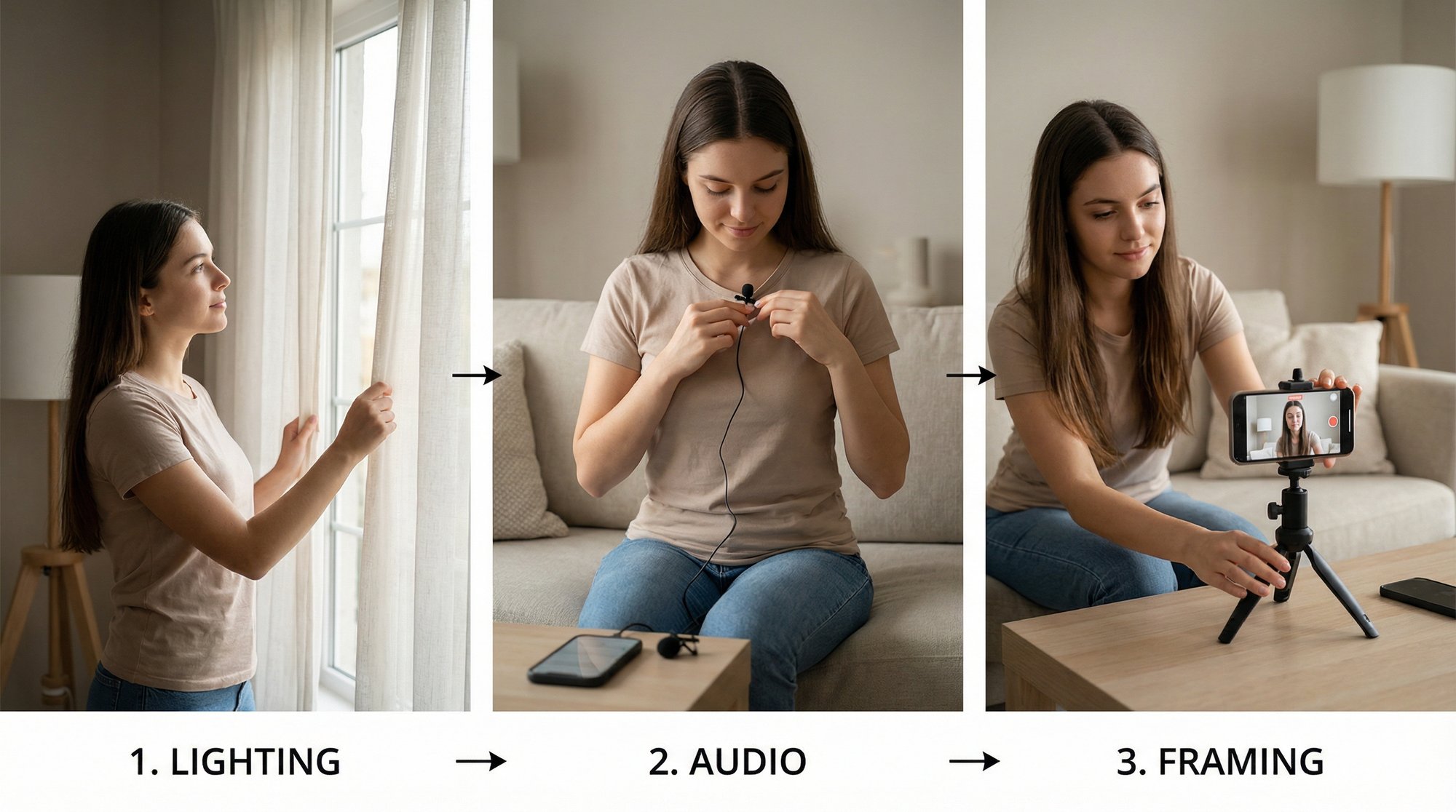
Best content creation tools to elevate your content strategy

Discover the best content creation tools for founders and teams, covering video, AI, and repurposing to help you create better content, faster.

Feb 22, 2026

As a founder or small business leader, you don't have time to test dozens of apps. Your content needs to drive results, not drain your resources. The market is flooded with tools that overpromise and underdeliver, leaving you with steep learning curves, generic AI outputs, and a content strategy that feels more like a chore than a growth engine.

This guide cuts through that noise. We've curated a definitive list of the best content creation tools specifically for busy founders and lean teams. Forget endless feature lists and marketing hype. We focus on what matters: practical use cases, honest limitations, and the specific tools that will help you create high-impact content efficiently. We've done the hours of testing so you don't have to.

Inside, you'll find a breakdown of platforms for every stage of your workflow. We cover everything from video editors that simplify complex projects, like Unfloppable and Descript, to AI-powered repurposing tools such as OpusClip that turn one piece of content into ten. Each entry includes a direct link, screenshots, and clear analysis of who it's for, what it costs, and where it truly excels.

Our goal is straightforward: to help you find the right tool for your specific need, fast. Whether you're turning a podcast into a dozen social media clips, generating video scripts from a simple prompt, or producing professional-grade marketing videos without hiring an agency, this list has the solution. These are the tools that will give you back your time and accelerate your growth. Let's find your new favorite.

1. Unfloppable

Unfloppable stands out as one of the best content creation tools for founders and business leaders who need to produce a steady stream of authentic, short-form video content without getting bogged down in editing. The platform operates on a simple yet powerful premise: you record a talking-head video, upload it, and Unfloppable’s intelligent editing system transforms it into a polished, ready-to-post clip for platforms like Instagram Reels, TikTok, or YouTube Shorts. This service is purpose-built for leaders who want to build a personal brand by sharing their expertise, reacting to industry news, or telling their company’s story.

What separates Unfloppable from other AI video generators is its commitment to authenticity. Instead of creating synthetic, artificial-looking content from scratch, it acts as a smart video editor. The system analyzes your words and automatically finds relevant B-roll, images, and text overlays from your media library and the web to match what you’re saying. This process results in a final video that feels human-made and credible, preserving the speaker's genuine voice and personality.

Unfloppable AI video creation tool for business leaders

Core Features & Use Cases

  • Intelligent Asset Sourcing: The system automatically pulls from your asset library and finds relevant stock media, ensuring visuals directly support your narrative without manual searching.

  • Business-Focused Output: The final videos are optimized for clarity and conversion, not just viral trends. This makes it ideal for leaders using content to drive sales, explain complex topics, or build industry authority.

  • "Done-for-You" Workflow: The entire process is hands-off. You provide the raw footage, and Unfloppable delivers a complete video, saving dozens of hours per month on editing.

  • Authenticity First: By prioritizing your own media and credible web assets over purely AI-generated visuals, the content maintains a high-trust, human feel that resonates with professional audiences.

Who Is It For?

Unfloppable is an excellent fit for SaaS founders, agency owners, consultants, and e-commerce leaders who understand the value of consistent video content but lack the time or skills to produce it. It allows them to maintain a strong personal brand presence and connect with their audience without needing to hire a full-time editor or learn complex software.

Key Benefit: Unfloppable offers predictable, high-quality output with a fast turnaround. This consistency is crucial for building a personal brand and establishing a reliable content-to-sales pipeline.

Pricing and Availability

Unfloppable provides a compelling try-before-you-buy offer: three free videos for a limited number of new businesses each month. This trial allows you to experience the full service and see the quality of the output firsthand. Pricing for paid plans is not listed publicly, so after the trial, you will need to contact the team for details on their packages.

Pros:

  • No video editing skills required.

  • Produces authentic, human-feeling videos.

  • Designed to support business goals like sales and authority.

  • Free trial available to test the service.

Cons:

  • Free trial spots are limited each month.

  • Pricing for paid plans is not transparent on the site.

  • Best suited for talking-head content, not cinematic productions.

Ready to start creating? Visit Unfloppable to claim your free videos.

2. Adobe Premiere Pro

For founders and teams who refuse to compromise on quality, Adobe Premiere Pro remains the industry standard for a reason. It's a powerhouse non-linear editor that gives you absolute control over every frame of your video, from complex short-form social cuts to polished long-form interviews and product demos. While many tools simplify editing, Premiere Pro provides the depth needed for a truly professional, broadcast-quality finish.

Adobe Premiere Pro

It excels where simpler editors fall short, particularly in multi-track timeline editing, advanced color grading, and professional audio mixing. The integration with the Adobe Creative Cloud ecosystem is its standout feature. You can seamlessly move a graphic from Photoshop or a motion graphic from After Effects directly into your video timeline, creating a cohesive and efficient workflow that saves immense time for small teams managing their own production.

Key Features & Use Case

  • Best For: Teams that need a single, powerful tool for varied video projects, from social media clips to investor pitch videos and full-scale commercials. It’s ideal for those already invested in the Adobe ecosystem.

  • Standout Features: AI-powered tools like Auto Reframe (instantly adjusts aspect ratios for different platforms), text-based editing, and precise color correction tools give your content a polished look that builds brand credibility.

  • Pro Tip: Use Creative Cloud Libraries to store brand assets like logos, color palettes, and motion graphic templates. This ensures brand consistency across all video projects, even with multiple team members editing.

Pros

Cons

Unmatched control for complex, high-quality projects

Steeper learning curve compared to simpler editors

Massive ecosystem of plugins, presets, and tutorials

Subscription cost can be high for infrequent users

Flawless integration with other Adobe apps like Photoshop & After Effects

Requires a reasonably powerful computer for smooth performance

Pricing: Access is through an Adobe Creative Cloud subscription. Premiere Pro alone costs $22.99/month, or you can get the full Creative Cloud All Apps plan for $59.99/month.

Website: https://www.adobe.com/products/premiere.html

3. DaVinci Resolve (and Resolve Studio)

For creators who demand Hollywood-grade color and audio without a recurring monthly bill, DaVinci Resolve is an exceptional choice. It’s a complete end-to-end post-production suite that merges professional editing, color correction, visual effects, and audio mixing into a single application. While the free version is incredibly powerful and sufficient for most content needs, the paid Studio version offers a fantastic one-time purchase model for teams ready to commit.

DaVinci Resolve (and Resolve Studio)

Resolve’s main advantage is its integrated workflow across different "Pages." You can move from editing footage on the Edit page to perfecting skin tones on the Color page, then mixing audio in Fairlight without ever leaving the app. This unified approach makes it one of the best content creation tools for maintaining quality control from start to finish, especially for creators who want to give their content a cinematic feel that stands out.

Key Features & Use Case

  • Best For: Founders and teams producing high-fidelity video content who want to avoid subscription fees. It's perfect for those who prioritize professional color grading and audio quality in their work.

  • Standout Features: Its world-class Color Page provides granular control that simple editors can't match. The AI-powered Neural Engine in the Studio version includes tools like Voice Isolation and Scene Cut Detection, which automate time-consuming tasks.

  • Pro Tip: Learn the basics of node-based color grading on the Color page. Even simple adjustments using nodes can dramatically elevate the visual quality of your videos, making your brand look more premium and professional.

Pros

Cons

Unbelievably capable free version with few limitations

Steeper learning curve, especially for color and audio pages

One-time purchase for the Studio version avoids subscriptions

Requires a powerful computer with a good GPU for best performance

Top-tier color grading and professional audio tools

Can feel overwhelming for users accustomed to simpler editors

Pricing: The standard version of DaVinci Resolve is completely free. DaVinci Resolve Studio is available for a one-time payment of $295.

Website: https://www.blackmagicdesign.com/products/davinciresolve

4. Final Cut Pro

For Mac-based founders and creative teams, Final Cut Pro offers a powerful video editing experience optimized for speed and efficiency. It stands out by combining professional-grade features with an interface that’s faster to learn than many of its competitors. Its performance on Apple silicon is exceptionally fluid, making it a top choice for creators who need to produce high-quality content without getting bogged down by rendering times.

Final Cut Pro

The Magnetic Timeline is a core feature, intelligently adjusting clips to avoid gaps and collisions, which speeds up the entire editing process. This makes it one of the best content creation tools for fast-turnaround projects like YouTube videos, social media ads, and internal training materials. The recent addition of an iPad app, complete with Apple Pencil support, gives teams the flexibility to start edits on the go and finish them on a desktop, creating a seamless production workflow.

Key Features & Use Case

  • Best For: YouTubers, solo creators, and small businesses operating within the Apple ecosystem who prioritize editing speed and a smooth workflow without a recurring subscription.

  • Standout Features: The Magnetic Timeline prevents clip collisions for faster arranging, AI-powered Enhance Light & Color fixes exposure and color balance with one click, and background rendering means less time waiting.

  • Pro Tip: Use the multicam editing feature with automatic audio syncing to quickly cut together interviews or product demos shot with multiple cameras. Final Cut Pro handles syncing up to 64 angles, saving hours of manual alignment.

Pros

Cons

Incredible performance and speed on Apple silicon Macs

Mac and iPad only, with no cross-platform compatibility

One-time purchase model is more cost-effective long-term

Fewer native motion graphics and VFX tools than competing suites

Intuitive media organization and strong multicam support

Third-party plugin ecosystem is smaller than Premiere Pro's

Pricing: Final Cut Pro is available as a one-time purchase of $299.99 from the Mac App Store, which includes all future updates. A generous 90-day free trial is also available.

Website: https://www.apple.com/final-cut-pro/

5. CapCut

For creators and teams who need to produce high-velocity, trend-driven social media content, CapCut has become the go-to editor. Originally a mobile-first app, it now offers a surprisingly robust experience on desktop and web, making it one of the most accessible and best content creation tools for fast-turnaround projects. It's built from the ground up to make social video editing, particularly for vertical formats like Reels and TikToks, incredibly efficient.

CapCut

Where professional editors offer depth, CapCut offers speed. Its massive library of templates, trending audio, and text effects allows anyone to create a platform-native video in minutes, not hours. The automatic captioning is best-in-class for social media, offering various styles that are ready to post without much tweaking. For teams that need to quickly adapt content for different platforms, CapCut removes nearly all friction from the editing process.

Key Features & Use Case

  • Best For: Solo creators, social media managers, and small teams needing to create engaging short-form video content quickly without a steep learning curve or high budget.

  • Standout Features: The Auto-captions feature is a huge time-saver and perfectly styled for social feeds. Its template library lets you jump on trends instantly, and AI tools like background removal make producing polished content easier than ever.

  • Pro Tip: Use the Brand Kit feature on the desktop or web app to preload your logos, fonts, and colors. This ensures that even when using a quick template, your branding remains consistent, a key step when you create Instagram Reels that represent your business.

Pros

Cons

Very capable free plan for short-form content

Advanced exports and some features are gated to Pro tiers

Extremely quick to produce platform-native video

Pricing and feature availability can vary by region/platform

Large template and effects library speeds up production

Less control over fine details compared to a professional NLE

Pricing: A generous free plan is available. CapCut Pro pricing varies but typically starts around $7.99/month, unlocking cloud storage, more effects, and AI features.

Website: https://www.capcut.com

6. Descript

For founders who create talking-head videos, podcasts, or screen recordings, Descript fundamentally changes the editing process. It’s an all-in-one platform that treats audio and video as text, allowing you to edit a recording simply by editing its automatically generated transcript. This text-based approach removes the technical hurdles of traditional timeline editing, making it one of the fastest ways to produce polished, professional-sounding content.

Descript

Descript excels by bundling powerful AI features with core production tools. It's not just about editing words; it's about cleaning up the entire production. With a single click, its Studio Sound feature can make a poorly recorded voiceover sound like it was captured in a professional studio. The platform also includes a high-quality remote recording function (formerly SquadCast), making it a complete solution for producing interviews and collaborative content without leaving the app.

Key Features & Use Case

  • Best For: Creators and teams focused on talk-driven content like podcasts, interviews, tutorials, and internal communications who need a fast, efficient workflow.

  • Standout Features: Text-based editing is the main draw, but AI tools like one-click filler word removal ("um," "uh"), Eye Contact correction for teleprompter reads, and AI-generated social clips make content production incredibly efficient.

  • Pro Tip: Use the remote recording studio to capture separate, high-fidelity audio and video tracks for each guest. This gives you maximum flexibility in post-production and ensures your interviews look and sound clean, even with internet connection issues.

Pros

Cons

Very fast turnaround for talk-driven content

Minutes and AI credits require plan management for heavy users

Strong balance of editing and AI repurposing tools

Not a full replacement for complex NLE timeline workflows

Integrated remote recording without a separate SquadCast fee

Exporting complex projects can sometimes be slow

Pricing: A free plan is available with limited features. Paid plans start with the Creator tier at $12/month (billed annually), which includes more transcription hours and watermark-free exports. The Pro plan at $24/month adds unlimited features and more powerful AI tools.

Website: https://www.descript.com

7. Canva Pro / Canva Business

For teams that need to produce high-quality visual content quickly without a dedicated design team, Canva has become the go-to platform. It democratizes design, allowing anyone to create stunning graphics, presentations, social media posts, and even simple videos using an enormous library of templates. This isn’t just a simple design tool; it’s an end-to-end content engine for brands that need to move fast.

Canva Pro / Canva Business

Canva's true power for businesses lies in its workflow efficiency and brand management features. With a Brand Kit, you can lock in your company's logos, colors, and fonts, ensuring every asset created by any team member is on-brand. The recent introduction of AI-powered "Magic" tools for writing, image generation, and video editing further speeds up the creation process from a simple idea to a published post, making it one of the best content creation tools for teams juggling multiple roles.

Key Features & Use Case

  • Best For: Founders, marketers, and non-design teams who need to quickly create a wide range of branded marketing materials, from social media graphics to pitch decks and internal documents.

  • Standout Features: The integrated Content Planner lets you design and schedule social media posts directly from the platform. Magic Write and Magic Media (AI tools) accelerate content generation, while Brand Kits maintain consistency.

  • Pro Tip: Use Canva's team templates for recurring content like weekly social media updates or monthly report presentations. This saves time and ensures a uniform look and feel across all your brand communications.

Pros

Cons

Exceptionally easy to use, even for absolute beginners

Video and motion tools are basic compared to specialized editors

Massive library of templates, stock photos, and design elements

Brand governance may not be robust enough for large enterprises

End-to-end workflow from creation to direct social media publishing

The most popular templates can be overused, risking a generic look

Pricing: Canva Pro is $14.99/month for one person. Canva for Teams starts at $29.99/month for a team of 5.

Website: https://www.canva.com

8. Adobe Express

For founders who need to create professional-looking social media graphics, flyers, and simple videos without a steep learning curve, Adobe Express is a powerful, all-in-one design solution. It directly competes with tools like Canva but brings the weight of Adobe's creative engine, including its commercially safe Firefly generative AI and access to Adobe Stock assets. It’s built for speed and ease, allowing teams to produce on-brand content in minutes.

Adobe Express

Where Adobe Express shines is its seamless integration with the broader Adobe ecosystem. You can import and edit Photoshop (PSD) or Illustrator (AI) files directly, a huge time-saver for teams that work with professional designers. This allows founders and marketers to make quick text or image changes to complex assets without needing to be design experts, making it one of the best content creation tools for maintaining brand consistency at scale.

Key Features & Use Case

  • Best For: Marketing teams and founders needing a quick, template-driven tool for daily social media content, web graphics, and short promotional videos. It's perfect for those who want brand control without the complexity of the full Creative Cloud.

  • Standout Features: Firefly generative AI for creating unique images and text effects from simple prompts, one-click video captioning in multiple languages, and a basic content scheduler to publish directly to social platforms.

  • Pro Tip: Set up your Brand Kit immediately. Upload your logos, fonts, and brand colors to ensure every new design starts with your company's identity, which makes creating consistent content almost effortless.

Pros

Cons

Commercially safe Firefly AI and Adobe Stock access

Advanced video editing capabilities are limited compared to Premiere Pro

Simple brand kits and cross-app asset synchronization

AI features are credit-based, creating a usage quota to monitor

Extensive template library for rapid content output

Less design flexibility than dedicated professional tools

Pricing: A robust free plan is available. The Premium plan costs $9.99/month and includes more assets, premium templates, and additional generative credits.

Website: https://www.adobe.com/express/

9. VEED

For teams that need to create professional, social-ready video content with maximum speed and minimal friction, VEED is a standout browser-based editor. It removes the need for complex desktop software, allowing anyone to jump in and start producing high-quality videos, particularly those heavy on subtitles and voiceovers. Its primary strength lies in making tedious tasks like captioning, audio cleanup, and even video translation remarkably simple.

VEED

Where VEED really shines is its suite of AI-powered tools designed for modern content creators. The automatic subtitle generator is fast and impressively accurate, saving hours of manual transcription. For founders looking to expand their reach, the AI dubbing and translation feature is a game-changer, making it possible to localize video content for international audiences with just a few clicks, directly within the editor.

Key Features & Use Case

  • Best For: Marketing teams, social media managers, and course creators who need a fast, collaborative, cloud-based workflow for creating subtitled videos and repurposing content across platforms.

  • Standout Features: Auto Subtitles for rapid and accurate captioning, AI-powered noise and background removers for clean audio and visuals, and AI dubbing/translation to reach new markets without hiring a localization team.

  • Pro Tip: Use the Brand Kit feature to upload your logo, fonts, and brand colors. This ensures every video, from a quick social clip to a more detailed tutorial, maintains perfect brand consistency across your team.

Pros

Cons

Extremely fast for caption-heavy social video workflows

Browser performance can lag on very large or complex projects

No desktop software means easy team onboarding and cloud access

Plan limits and AI credits for features vary significantly by tier

Dubbing and localization features help reach new global markets

Lacks the deep timeline control of professional desktop editors

Pricing: Offers a free plan with watermarked exports. Paid plans start with the Basic plan at $18/month, Pro at $30/month, and a Business plan at $59/month, each offering more storage and access to premium features.

Website: https://www.veed.io

10. Runway

For teams looking to push creative boundaries without the budget for complex shoots, Runway is an essential AI-powered video and image toolkit. It moves past simple editing into true content generation, allowing you to create high-quality b-roll, animated sequences, and stylized transitions from simple text prompts. Instead of searching for stock footage, you can generate the exact clip you need, giving your content a unique, custom-made feel that sets your brand apart.

Runway

Runway excels at supplementing human-shot content with impossible-to-film scenes or abstract visuals that perfectly match your branding. Its strength lies in its fast-moving models, which are constantly updated to improve quality and control. This makes it one of the best content creation tools for teams that need to produce visually striking assets quickly, whether it's for social media ads, product explainers, or website backgrounds. For a deeper dive, see how you can produce better videos with AI-generated B-roll.

Key Features & Use Case

  • Best For: Marketing teams and founders needing unique B-roll, abstract visuals, or animated sequences without the cost of a full production crew. It’s perfect for adding a layer of creative polish to existing footage.

  • Standout Features: Text-to-Video models like Gen-4 allow for rapid generation of short video clips from prompts, while tools for inpainting, motion tracking, and infinite image expansion give you powerful post-production capabilities in a web browser.

  • Pro Tip: Start with simple, descriptive prompts and iterate. Combine generated clips with real footage. For example, create a 3-second abstract clip in Runway to use as a dynamic transition between two scenes in your main video editor.

Pros

Cons

Frontier AI models that are frequently updated and improved

Output quality and coherence can vary depending on the prompt

Clear, credit-based system for predictable usage costs

Credits can be used up quickly for high-res or longer generations

All-in-one suite with generation and traditional editing tools

Can have a learning curve to get the exact desired results

Pricing: Offers a free Basic tier with limited credits. Paid plans start at $12/user/month (Standard) for more credits and features, with Pro and Unlimited plans available for higher-volume users.

Website: https://runwayml.com

11. Jasper

For teams that need to produce high-volume marketing copy without sacrificing brand identity, Jasper is an AI platform built for consistency and control. It moves beyond generic text generation by allowing you to create a specific Brand Voice, grounded in your company's knowledge base and tailored to defined audiences. This makes it one of the best content creation tools for ensuring every blog post, ad, and email sounds authentically like your brand.

Jasper

Jasper's strength lies in its campaign-focused tools and deep workflow integration. Instead of one-off prompts, you can build entire campaigns in a single workspace, from initial brainstorming to final polished copy. The browser extension brings this power directly into your existing tools, whether you're writing in a CMS, a social media scheduler, or an email platform. This is a practical approach that helps you learn how to scale content creation by embedding AI into your daily operations rather than treating it as a separate step.

Key Features & Use Case

  • Best For: Marketing teams and founders who need to produce consistent, on-brand copy across multiple channels and want to avoid generic, off-brand AI outputs.

  • Standout Features: Brand Voice & Knowledge lets you upload style guides, product info, and customer personas to train the AI. The Campaigns feature and various content apps provide a structured way to build multi-asset marketing initiatives.

  • Pro Tip: Spend time setting up your Brand Voice thoroughly. Upload key marketing documents, website copy, and mission statements. The more context you give Jasper, the more accurate and brand-aligned its suggestions will be, saving you significant editing time.

Pros

Cons

Strong brand governance and controls to prevent off-brand text

Credits system adds another usage meter to manage on top of a plan

Multi-modal knowledge grounding reduces factual errors

Best value requires formalizing brand and knowledge inputs first

Offers a free trial to evaluate features

Can be more expensive than simpler AI writing assistants

Pricing: Plans start at $39/month (billed annually) for the Creator plan. The Pro and Business plans offer more advanced features and higher usage limits.

Website: https://www.jasper.ai

12. OpusClip

For teams sitting on a goldmine of long-form content like podcasts or webinars, OpusClip is an AI-powered engine designed to multiply your output with minimal effort. Instead of manually scrubbing through hours of footage, this tool analyzes your video and automatically extracts engaging, viral-style short clips. It’s one of the best content creation tools for scaling a short-form video strategy without scaling your editing time.

OpusClip

OpusClip shines by identifying the most compelling moments in your content, adding dynamic captions, and reframing the shot to a vertical 9:16 aspect ratio. Its "Virality Score" attempts to predict which clips will perform best, helping you prioritize what to post on TikTok, Reels, and Shorts. This system turns one long-form video into a dozen potential social media posts in minutes, not hours.

Key Features & Use Case

  • Best For: Founders, marketers, and podcast hosts who need an extremely fast way to repurpose existing long-form video into a high volume of social media clips.

  • Standout Features: AI-powered curation that automatically finds and ranks the most interesting segments, one-click auto-captions with emoji highlighting, and direct publishing integrations to social platforms.

  • Pro Tip: Use the brand templates feature to pre-load your fonts, brand colors, and logo. This ensures every AI-generated clip is immediately on-brand and ready to post with minor adjustments.

Pros

Cons

Extremely fast way to generate dozens of clips from one video

Creative output is template-based and can feel repetitive

Generous free-forever plan with monthly processing minutes

Heavy users will quickly need a paid plan for more credits

Solid auto-captioning accuracy and language support

AI-selected clips often need manual review and polish for context

Pricing: Offers a free plan with 60 processing minutes per month. Paid plans start at $9/month for more minutes and premium features like 1080p exports and faster processing.

Website: https://www.opus.pro

Top 12 Content Creation Tools — Quick Comparison

Tool

Core features

Quality (★)

Price / Value (💰)

Audience (👥)

Unique selling point (✨)

Unfloppable 🏆

Smart editor: upload talking-head → ready short reels; web + personal asset search; realistic AI fills

★★★★★

💰 3 free videos trial; pricing via contact

👥 Founders, business leaders, SaaS teams

✨ Assembles web + your media for authentic, business-focused videos; fast turnaround 🏆

Adobe Premiere Pro

Pro NLE: multitrack timeline, advanced color/audio, Sensei AI assists

★★★★★

💰 Creative Cloud subscription (monthly)

👥 Professional editors, agencies, production teams

✨ Deep Adobe ecosystem & professional toolset

DaVinci Resolve (Studio)

Unified Edit/Color/Fusion/Fairlight; Neural Engine AI

★★★★★

💰 Very capable free tier; one-time Studio license available

👥 Colorists, filmmakers, pros needing grading

✨ Top-tier color grading; powerful free option

Final Cut Pro

Magnetic Timeline; Apple silicon optimization; background rendering

★★★★★

💰 One-time Mac purchase; long free trial

👥 Mac users, YouTubers, small teams

✨ Extremely fast on Apple hardware; polished media management

CapCut

Templates, auto-captions, vertical-first tools; mobile + web apps

★★★★☆

💰 Free-first; Pro upgrades for advanced exports

👥 Solo creators, social teams, short-form creators

✨ Massive template library for platform-native shorts

Descript

Text-based editing, auto-transcript, Studio Sound, AI cleanup

★★★★☆

💰 Free tier; paid minutes & AI credits

👥 Podcasters, interviewers, talking-head creators

✨ Edit by text; remove fillers and enhance audio/eye contact

Canva Pro / Business

Templates, stock library, Brand Kits, Magic AI tools, scheduler

★★★★☆

💰 Pro/Business subscriptions (team pricing)

👥 Non-design teams, marketers, product teams

✨ Fast on-brand asset production and publishing workflow

Adobe Express

Templates + Firefly AI, basic video tools, brand kits & scheduler

★★★★☆

💰 Free + subscription; AI credits apply

👥 Small teams, social creators wanting Adobe flow

✨ Firefly generative assets + Adobe Stock access

VEED

Auto-subtitles, AI noise/background remover, cloud projects & templates

★★★★☆

💰 Tiered SaaS plans; feature/credit limits by tier

👥 Teams needing cloud editing, caption-heavy workflows

✨ Dubbing, localization and cloud collaboration

Runway

Gen-4 video models, upscaling, performance capture, credits model

★★★★☆

💰 Credits-based plans; Explore (unlimited) mode

👥 Creatives & studios using generative media

✨ Cutting-edge text/image→video models for creative fills

Jasper

Brand Voice, campaign tools, API, hybrid credits

★★★★☆

💰 Subscription + credits for advanced features

👥 Marketing teams, founders, growth teams

✨ Brand-grounded copy & campaign automation

OpusClip

Auto-highlight detection, virality score, auto-captions & post integrations

★★★★☆

💰 Free-forever plan with monthly minutes; paid tiers for heavy use

👥 Podcasters, webinar hosts, creators scaling shorts

✨ Rapid repurposing from long-form → viral short clips

Choose Your Tools and Start Creating

You've explored a powerful arsenal of the best content creation tools, from industry-standard video editors like Adobe Premiere Pro to specialized AI-powered services like Unfloppable. The sheer volume of options can feel overwhelming, but the goal isn't to master every single platform. The true objective is to build a simple, effective system that allows you to consistently turn your ideas into assets that connect with your audience and drive business growth.

Your ideal tool stack is deeply personal; it depends entirely on your current workflow, budget, and most significant pain points. A solo founder struggling to produce consistent, high-quality video content has vastly different needs than a small marketing team with a dedicated video editor. Don't fall into the trap of choosing a tool because it's the most powerful or has the longest feature list. Instead, choose the one that solves your biggest problem right now.

From Analysis to Action: Building Your Content Engine

The journey from consuming this list to producing great content begins with a single, strategic choice. To help you make that decision, consider these critical factors:

  • Your Biggest Bottleneck: What is the single greatest obstacle preventing you from creating content consistently? Is it the time it takes to edit (look at Unfloppable or Descript)? Is it the struggle to come up with fresh ideas (consider Jasper)? Or is it the effort required to turn one great video into ten different assets (OpusClip is your friend)? Pinpoint the friction and select the tool that removes it.

  • Skill vs. Speed: Be honest about your team's technical expertise and available time. Professional-grade software like DaVinci Resolve offers incredible control but demands a steep learning curve. In contrast, platforms like Canva and VEED prioritize speed and ease of use, allowing you to produce good-looking content quickly, even without a design background. For founders, time is the most valuable resource, making speed a critical factor.

  • Integration and Workflow: How will a new tool fit into your existing process? A great tool should feel like a missing puzzle piece, not an entirely new puzzle. Consider how a script generator feeds into your recording setup, and how your editor makes it easy to export clips for a repurposing tool. The most sustainable content systems are built from tools that work well together.

The Most Important Step is to Begin

The perfect content creation stack is not built in a day. It is assembled over time, piece by piece, as you learn what works for your brand and your audience. The real secret shared by successful creators isn't a magical tool; it's consistency. They show up, day after day, and provide value.

Your task now is to choose one tool from this list that solves your most immediate challenge and commit to using it. Create one video. Write one script. Repurpose one podcast episode. The momentum you build from that first step is more valuable than months of additional research. Remember, the best content creation tools are ultimately the ones you actually use to connect with people and grow your business. Start small, be consistent, and build from there.

Tired of the video editing bottleneck that stops you from publishing consistently? Let the experts at Unfloppable handle it for you. We turn your raw footage into engaging, ready-to-post short-form videos, so you can focus on running your business instead of learning complex software. Check out how we can build your content engine at Unfloppable.

As a founder or small business leader, you don't have time to test dozens of apps. Your content needs to drive results, not drain your resources. The market is flooded with tools that overpromise and underdeliver, leaving you with steep learning curves, generic AI outputs, and a content strategy that feels more like a chore than a growth engine.

This guide cuts through that noise. We've curated a definitive list of the best content creation tools specifically for busy founders and lean teams. Forget endless feature lists and marketing hype. We focus on what matters: practical use cases, honest limitations, and the specific tools that will help you create high-impact content efficiently. We've done the hours of testing so you don't have to.

Inside, you'll find a breakdown of platforms for every stage of your workflow. We cover everything from video editors that simplify complex projects, like Unfloppable and Descript, to AI-powered repurposing tools such as OpusClip that turn one piece of content into ten. Each entry includes a direct link, screenshots, and clear analysis of who it's for, what it costs, and where it truly excels.

Our goal is straightforward: to help you find the right tool for your specific need, fast. Whether you're turning a podcast into a dozen social media clips, generating video scripts from a simple prompt, or producing professional-grade marketing videos without hiring an agency, this list has the solution. These are the tools that will give you back your time and accelerate your growth. Let's find your new favorite.

1. Unfloppable

Unfloppable stands out as one of the best content creation tools for founders and business leaders who need to produce a steady stream of authentic, short-form video content without getting bogged down in editing. The platform operates on a simple yet powerful premise: you record a talking-head video, upload it, and Unfloppable’s intelligent editing system transforms it into a polished, ready-to-post clip for platforms like Instagram Reels, TikTok, or YouTube Shorts. This service is purpose-built for leaders who want to build a personal brand by sharing their expertise, reacting to industry news, or telling their company’s story.

What separates Unfloppable from other AI video generators is its commitment to authenticity. Instead of creating synthetic, artificial-looking content from scratch, it acts as a smart video editor. The system analyzes your words and automatically finds relevant B-roll, images, and text overlays from your media library and the web to match what you’re saying. This process results in a final video that feels human-made and credible, preserving the speaker's genuine voice and personality.

Unfloppable AI video creation tool for business leaders

Core Features & Use Cases

  • Intelligent Asset Sourcing: The system automatically pulls from your asset library and finds relevant stock media, ensuring visuals directly support your narrative without manual searching.

  • Business-Focused Output: The final videos are optimized for clarity and conversion, not just viral trends. This makes it ideal for leaders using content to drive sales, explain complex topics, or build industry authority.

  • "Done-for-You" Workflow: The entire process is hands-off. You provide the raw footage, and Unfloppable delivers a complete video, saving dozens of hours per month on editing.

  • Authenticity First: By prioritizing your own media and credible web assets over purely AI-generated visuals, the content maintains a high-trust, human feel that resonates with professional audiences.

Who Is It For?

Unfloppable is an excellent fit for SaaS founders, agency owners, consultants, and e-commerce leaders who understand the value of consistent video content but lack the time or skills to produce it. It allows them to maintain a strong personal brand presence and connect with their audience without needing to hire a full-time editor or learn complex software.

Key Benefit: Unfloppable offers predictable, high-quality output with a fast turnaround. This consistency is crucial for building a personal brand and establishing a reliable content-to-sales pipeline.

Pricing and Availability

Unfloppable provides a compelling try-before-you-buy offer: three free videos for a limited number of new businesses each month. This trial allows you to experience the full service and see the quality of the output firsthand. Pricing for paid plans is not listed publicly, so after the trial, you will need to contact the team for details on their packages.

Pros:

  • No video editing skills required.

  • Produces authentic, human-feeling videos.

  • Designed to support business goals like sales and authority.

  • Free trial available to test the service.

Cons:

  • Free trial spots are limited each month.

  • Pricing for paid plans is not transparent on the site.

  • Best suited for talking-head content, not cinematic productions.

Ready to start creating? Visit Unfloppable to claim your free videos.

2. Adobe Premiere Pro

For founders and teams who refuse to compromise on quality, Adobe Premiere Pro remains the industry standard for a reason. It's a powerhouse non-linear editor that gives you absolute control over every frame of your video, from complex short-form social cuts to polished long-form interviews and product demos. While many tools simplify editing, Premiere Pro provides the depth needed for a truly professional, broadcast-quality finish.

Adobe Premiere Pro

It excels where simpler editors fall short, particularly in multi-track timeline editing, advanced color grading, and professional audio mixing. The integration with the Adobe Creative Cloud ecosystem is its standout feature. You can seamlessly move a graphic from Photoshop or a motion graphic from After Effects directly into your video timeline, creating a cohesive and efficient workflow that saves immense time for small teams managing their own production.

Key Features & Use Case

  • Best For: Teams that need a single, powerful tool for varied video projects, from social media clips to investor pitch videos and full-scale commercials. It’s ideal for those already invested in the Adobe ecosystem.

  • Standout Features: AI-powered tools like Auto Reframe (instantly adjusts aspect ratios for different platforms), text-based editing, and precise color correction tools give your content a polished look that builds brand credibility.

  • Pro Tip: Use Creative Cloud Libraries to store brand assets like logos, color palettes, and motion graphic templates. This ensures brand consistency across all video projects, even with multiple team members editing.

Pros

Cons

Unmatched control for complex, high-quality projects

Steeper learning curve compared to simpler editors

Massive ecosystem of plugins, presets, and tutorials

Subscription cost can be high for infrequent users

Flawless integration with other Adobe apps like Photoshop & After Effects

Requires a reasonably powerful computer for smooth performance

Pricing: Access is through an Adobe Creative Cloud subscription. Premiere Pro alone costs $22.99/month, or you can get the full Creative Cloud All Apps plan for $59.99/month.

Website: https://www.adobe.com/products/premiere.html

3. DaVinci Resolve (and Resolve Studio)

For creators who demand Hollywood-grade color and audio without a recurring monthly bill, DaVinci Resolve is an exceptional choice. It’s a complete end-to-end post-production suite that merges professional editing, color correction, visual effects, and audio mixing into a single application. While the free version is incredibly powerful and sufficient for most content needs, the paid Studio version offers a fantastic one-time purchase model for teams ready to commit.

DaVinci Resolve (and Resolve Studio)

Resolve’s main advantage is its integrated workflow across different "Pages." You can move from editing footage on the Edit page to perfecting skin tones on the Color page, then mixing audio in Fairlight without ever leaving the app. This unified approach makes it one of the best content creation tools for maintaining quality control from start to finish, especially for creators who want to give their content a cinematic feel that stands out.

Key Features & Use Case

  • Best For: Founders and teams producing high-fidelity video content who want to avoid subscription fees. It's perfect for those who prioritize professional color grading and audio quality in their work.

  • Standout Features: Its world-class Color Page provides granular control that simple editors can't match. The AI-powered Neural Engine in the Studio version includes tools like Voice Isolation and Scene Cut Detection, which automate time-consuming tasks.

  • Pro Tip: Learn the basics of node-based color grading on the Color page. Even simple adjustments using nodes can dramatically elevate the visual quality of your videos, making your brand look more premium and professional.

Pros

Cons

Unbelievably capable free version with few limitations

Steeper learning curve, especially for color and audio pages

One-time purchase for the Studio version avoids subscriptions

Requires a powerful computer with a good GPU for best performance

Top-tier color grading and professional audio tools

Can feel overwhelming for users accustomed to simpler editors

Pricing: The standard version of DaVinci Resolve is completely free. DaVinci Resolve Studio is available for a one-time payment of $295.

Website: https://www.blackmagicdesign.com/products/davinciresolve

4. Final Cut Pro

For Mac-based founders and creative teams, Final Cut Pro offers a powerful video editing experience optimized for speed and efficiency. It stands out by combining professional-grade features with an interface that’s faster to learn than many of its competitors. Its performance on Apple silicon is exceptionally fluid, making it a top choice for creators who need to produce high-quality content without getting bogged down by rendering times.

Final Cut Pro

The Magnetic Timeline is a core feature, intelligently adjusting clips to avoid gaps and collisions, which speeds up the entire editing process. This makes it one of the best content creation tools for fast-turnaround projects like YouTube videos, social media ads, and internal training materials. The recent addition of an iPad app, complete with Apple Pencil support, gives teams the flexibility to start edits on the go and finish them on a desktop, creating a seamless production workflow.

Key Features & Use Case

  • Best For: YouTubers, solo creators, and small businesses operating within the Apple ecosystem who prioritize editing speed and a smooth workflow without a recurring subscription.

  • Standout Features: The Magnetic Timeline prevents clip collisions for faster arranging, AI-powered Enhance Light & Color fixes exposure and color balance with one click, and background rendering means less time waiting.

  • Pro Tip: Use the multicam editing feature with automatic audio syncing to quickly cut together interviews or product demos shot with multiple cameras. Final Cut Pro handles syncing up to 64 angles, saving hours of manual alignment.

Pros

Cons

Incredible performance and speed on Apple silicon Macs

Mac and iPad only, with no cross-platform compatibility

One-time purchase model is more cost-effective long-term

Fewer native motion graphics and VFX tools than competing suites

Intuitive media organization and strong multicam support

Third-party plugin ecosystem is smaller than Premiere Pro's

Pricing: Final Cut Pro is available as a one-time purchase of $299.99 from the Mac App Store, which includes all future updates. A generous 90-day free trial is also available.

Website: https://www.apple.com/final-cut-pro/

5. CapCut

For creators and teams who need to produce high-velocity, trend-driven social media content, CapCut has become the go-to editor. Originally a mobile-first app, it now offers a surprisingly robust experience on desktop and web, making it one of the most accessible and best content creation tools for fast-turnaround projects. It's built from the ground up to make social video editing, particularly for vertical formats like Reels and TikToks, incredibly efficient.

CapCut

Where professional editors offer depth, CapCut offers speed. Its massive library of templates, trending audio, and text effects allows anyone to create a platform-native video in minutes, not hours. The automatic captioning is best-in-class for social media, offering various styles that are ready to post without much tweaking. For teams that need to quickly adapt content for different platforms, CapCut removes nearly all friction from the editing process.

Key Features & Use Case

  • Best For: Solo creators, social media managers, and small teams needing to create engaging short-form video content quickly without a steep learning curve or high budget.

  • Standout Features: The Auto-captions feature is a huge time-saver and perfectly styled for social feeds. Its template library lets you jump on trends instantly, and AI tools like background removal make producing polished content easier than ever.

  • Pro Tip: Use the Brand Kit feature on the desktop or web app to preload your logos, fonts, and colors. This ensures that even when using a quick template, your branding remains consistent, a key step when you create Instagram Reels that represent your business.

Pros

Cons

Very capable free plan for short-form content

Advanced exports and some features are gated to Pro tiers

Extremely quick to produce platform-native video

Pricing and feature availability can vary by region/platform

Large template and effects library speeds up production

Less control over fine details compared to a professional NLE

Pricing: A generous free plan is available. CapCut Pro pricing varies but typically starts around $7.99/month, unlocking cloud storage, more effects, and AI features.

Website: https://www.capcut.com

6. Descript

For founders who create talking-head videos, podcasts, or screen recordings, Descript fundamentally changes the editing process. It’s an all-in-one platform that treats audio and video as text, allowing you to edit a recording simply by editing its automatically generated transcript. This text-based approach removes the technical hurdles of traditional timeline editing, making it one of the fastest ways to produce polished, professional-sounding content.

Descript

Descript excels by bundling powerful AI features with core production tools. It's not just about editing words; it's about cleaning up the entire production. With a single click, its Studio Sound feature can make a poorly recorded voiceover sound like it was captured in a professional studio. The platform also includes a high-quality remote recording function (formerly SquadCast), making it a complete solution for producing interviews and collaborative content without leaving the app.

Key Features & Use Case

  • Best For: Creators and teams focused on talk-driven content like podcasts, interviews, tutorials, and internal communications who need a fast, efficient workflow.

  • Standout Features: Text-based editing is the main draw, but AI tools like one-click filler word removal ("um," "uh"), Eye Contact correction for teleprompter reads, and AI-generated social clips make content production incredibly efficient.

  • Pro Tip: Use the remote recording studio to capture separate, high-fidelity audio and video tracks for each guest. This gives you maximum flexibility in post-production and ensures your interviews look and sound clean, even with internet connection issues.

Pros

Cons

Very fast turnaround for talk-driven content

Minutes and AI credits require plan management for heavy users

Strong balance of editing and AI repurposing tools

Not a full replacement for complex NLE timeline workflows

Integrated remote recording without a separate SquadCast fee

Exporting complex projects can sometimes be slow

Pricing: A free plan is available with limited features. Paid plans start with the Creator tier at $12/month (billed annually), which includes more transcription hours and watermark-free exports. The Pro plan at $24/month adds unlimited features and more powerful AI tools.

Website: https://www.descript.com

7. Canva Pro / Canva Business

For teams that need to produce high-quality visual content quickly without a dedicated design team, Canva has become the go-to platform. It democratizes design, allowing anyone to create stunning graphics, presentations, social media posts, and even simple videos using an enormous library of templates. This isn’t just a simple design tool; it’s an end-to-end content engine for brands that need to move fast.

Canva Pro / Canva Business

Canva's true power for businesses lies in its workflow efficiency and brand management features. With a Brand Kit, you can lock in your company's logos, colors, and fonts, ensuring every asset created by any team member is on-brand. The recent introduction of AI-powered "Magic" tools for writing, image generation, and video editing further speeds up the creation process from a simple idea to a published post, making it one of the best content creation tools for teams juggling multiple roles.

Key Features & Use Case

  • Best For: Founders, marketers, and non-design teams who need to quickly create a wide range of branded marketing materials, from social media graphics to pitch decks and internal documents.

  • Standout Features: The integrated Content Planner lets you design and schedule social media posts directly from the platform. Magic Write and Magic Media (AI tools) accelerate content generation, while Brand Kits maintain consistency.

  • Pro Tip: Use Canva's team templates for recurring content like weekly social media updates or monthly report presentations. This saves time and ensures a uniform look and feel across all your brand communications.

Pros

Cons

Exceptionally easy to use, even for absolute beginners

Video and motion tools are basic compared to specialized editors

Massive library of templates, stock photos, and design elements

Brand governance may not be robust enough for large enterprises

End-to-end workflow from creation to direct social media publishing

The most popular templates can be overused, risking a generic look

Pricing: Canva Pro is $14.99/month for one person. Canva for Teams starts at $29.99/month for a team of 5.

Website: https://www.canva.com

8. Adobe Express

For founders who need to create professional-looking social media graphics, flyers, and simple videos without a steep learning curve, Adobe Express is a powerful, all-in-one design solution. It directly competes with tools like Canva but brings the weight of Adobe's creative engine, including its commercially safe Firefly generative AI and access to Adobe Stock assets. It’s built for speed and ease, allowing teams to produce on-brand content in minutes.

Adobe Express

Where Adobe Express shines is its seamless integration with the broader Adobe ecosystem. You can import and edit Photoshop (PSD) or Illustrator (AI) files directly, a huge time-saver for teams that work with professional designers. This allows founders and marketers to make quick text or image changes to complex assets without needing to be design experts, making it one of the best content creation tools for maintaining brand consistency at scale.

Key Features & Use Case

  • Best For: Marketing teams and founders needing a quick, template-driven tool for daily social media content, web graphics, and short promotional videos. It's perfect for those who want brand control without the complexity of the full Creative Cloud.

  • Standout Features: Firefly generative AI for creating unique images and text effects from simple prompts, one-click video captioning in multiple languages, and a basic content scheduler to publish directly to social platforms.

  • Pro Tip: Set up your Brand Kit immediately. Upload your logos, fonts, and brand colors to ensure every new design starts with your company's identity, which makes creating consistent content almost effortless.

Pros

Cons

Commercially safe Firefly AI and Adobe Stock access

Advanced video editing capabilities are limited compared to Premiere Pro

Simple brand kits and cross-app asset synchronization

AI features are credit-based, creating a usage quota to monitor

Extensive template library for rapid content output

Less design flexibility than dedicated professional tools

Pricing: A robust free plan is available. The Premium plan costs $9.99/month and includes more assets, premium templates, and additional generative credits.

Website: https://www.adobe.com/express/

9. VEED

For teams that need to create professional, social-ready video content with maximum speed and minimal friction, VEED is a standout browser-based editor. It removes the need for complex desktop software, allowing anyone to jump in and start producing high-quality videos, particularly those heavy on subtitles and voiceovers. Its primary strength lies in making tedious tasks like captioning, audio cleanup, and even video translation remarkably simple.

VEED

Where VEED really shines is its suite of AI-powered tools designed for modern content creators. The automatic subtitle generator is fast and impressively accurate, saving hours of manual transcription. For founders looking to expand their reach, the AI dubbing and translation feature is a game-changer, making it possible to localize video content for international audiences with just a few clicks, directly within the editor.

Key Features & Use Case

  • Best For: Marketing teams, social media managers, and course creators who need a fast, collaborative, cloud-based workflow for creating subtitled videos and repurposing content across platforms.

  • Standout Features: Auto Subtitles for rapid and accurate captioning, AI-powered noise and background removers for clean audio and visuals, and AI dubbing/translation to reach new markets without hiring a localization team.

  • Pro Tip: Use the Brand Kit feature to upload your logo, fonts, and brand colors. This ensures every video, from a quick social clip to a more detailed tutorial, maintains perfect brand consistency across your team.

Pros

Cons

Extremely fast for caption-heavy social video workflows

Browser performance can lag on very large or complex projects

No desktop software means easy team onboarding and cloud access

Plan limits and AI credits for features vary significantly by tier

Dubbing and localization features help reach new global markets

Lacks the deep timeline control of professional desktop editors

Pricing: Offers a free plan with watermarked exports. Paid plans start with the Basic plan at $18/month, Pro at $30/month, and a Business plan at $59/month, each offering more storage and access to premium features.

Website: https://www.veed.io

10. Runway

For teams looking to push creative boundaries without the budget for complex shoots, Runway is an essential AI-powered video and image toolkit. It moves past simple editing into true content generation, allowing you to create high-quality b-roll, animated sequences, and stylized transitions from simple text prompts. Instead of searching for stock footage, you can generate the exact clip you need, giving your content a unique, custom-made feel that sets your brand apart.

Runway

Runway excels at supplementing human-shot content with impossible-to-film scenes or abstract visuals that perfectly match your branding. Its strength lies in its fast-moving models, which are constantly updated to improve quality and control. This makes it one of the best content creation tools for teams that need to produce visually striking assets quickly, whether it's for social media ads, product explainers, or website backgrounds. For a deeper dive, see how you can produce better videos with AI-generated B-roll.

Key Features & Use Case

  • Best For: Marketing teams and founders needing unique B-roll, abstract visuals, or animated sequences without the cost of a full production crew. It’s perfect for adding a layer of creative polish to existing footage.

  • Standout Features: Text-to-Video models like Gen-4 allow for rapid generation of short video clips from prompts, while tools for inpainting, motion tracking, and infinite image expansion give you powerful post-production capabilities in a web browser.

  • Pro Tip: Start with simple, descriptive prompts and iterate. Combine generated clips with real footage. For example, create a 3-second abstract clip in Runway to use as a dynamic transition between two scenes in your main video editor.

Pros

Cons

Frontier AI models that are frequently updated and improved

Output quality and coherence can vary depending on the prompt

Clear, credit-based system for predictable usage costs

Credits can be used up quickly for high-res or longer generations

All-in-one suite with generation and traditional editing tools

Can have a learning curve to get the exact desired results

Pricing: Offers a free Basic tier with limited credits. Paid plans start at $12/user/month (Standard) for more credits and features, with Pro and Unlimited plans available for higher-volume users.

Website: https://runwayml.com

11. Jasper

For teams that need to produce high-volume marketing copy without sacrificing brand identity, Jasper is an AI platform built for consistency and control. It moves beyond generic text generation by allowing you to create a specific Brand Voice, grounded in your company's knowledge base and tailored to defined audiences. This makes it one of the best content creation tools for ensuring every blog post, ad, and email sounds authentically like your brand.

Jasper

Jasper's strength lies in its campaign-focused tools and deep workflow integration. Instead of one-off prompts, you can build entire campaigns in a single workspace, from initial brainstorming to final polished copy. The browser extension brings this power directly into your existing tools, whether you're writing in a CMS, a social media scheduler, or an email platform. This is a practical approach that helps you learn how to scale content creation by embedding AI into your daily operations rather than treating it as a separate step.

Key Features & Use Case

  • Best For: Marketing teams and founders who need to produce consistent, on-brand copy across multiple channels and want to avoid generic, off-brand AI outputs.

  • Standout Features: Brand Voice & Knowledge lets you upload style guides, product info, and customer personas to train the AI. The Campaigns feature and various content apps provide a structured way to build multi-asset marketing initiatives.

  • Pro Tip: Spend time setting up your Brand Voice thoroughly. Upload key marketing documents, website copy, and mission statements. The more context you give Jasper, the more accurate and brand-aligned its suggestions will be, saving you significant editing time.

Pros

Cons

Strong brand governance and controls to prevent off-brand text

Credits system adds another usage meter to manage on top of a plan

Multi-modal knowledge grounding reduces factual errors

Best value requires formalizing brand and knowledge inputs first

Offers a free trial to evaluate features

Can be more expensive than simpler AI writing assistants

Pricing: Plans start at $39/month (billed annually) for the Creator plan. The Pro and Business plans offer more advanced features and higher usage limits.

Website: https://www.jasper.ai

12. OpusClip

For teams sitting on a goldmine of long-form content like podcasts or webinars, OpusClip is an AI-powered engine designed to multiply your output with minimal effort. Instead of manually scrubbing through hours of footage, this tool analyzes your video and automatically extracts engaging, viral-style short clips. It’s one of the best content creation tools for scaling a short-form video strategy without scaling your editing time.

OpusClip

OpusClip shines by identifying the most compelling moments in your content, adding dynamic captions, and reframing the shot to a vertical 9:16 aspect ratio. Its "Virality Score" attempts to predict which clips will perform best, helping you prioritize what to post on TikTok, Reels, and Shorts. This system turns one long-form video into a dozen potential social media posts in minutes, not hours.

Key Features & Use Case

  • Best For: Founders, marketers, and podcast hosts who need an extremely fast way to repurpose existing long-form video into a high volume of social media clips.

  • Standout Features: AI-powered curation that automatically finds and ranks the most interesting segments, one-click auto-captions with emoji highlighting, and direct publishing integrations to social platforms.

  • Pro Tip: Use the brand templates feature to pre-load your fonts, brand colors, and logo. This ensures every AI-generated clip is immediately on-brand and ready to post with minor adjustments.

Pros

Cons

Extremely fast way to generate dozens of clips from one video

Creative output is template-based and can feel repetitive

Generous free-forever plan with monthly processing minutes

Heavy users will quickly need a paid plan for more credits

Solid auto-captioning accuracy and language support

AI-selected clips often need manual review and polish for context

Pricing: Offers a free plan with 60 processing minutes per month. Paid plans start at $9/month for more minutes and premium features like 1080p exports and faster processing.

Website: https://www.opus.pro

Top 12 Content Creation Tools — Quick Comparison

Tool

Core features

Quality (★)

Price / Value (💰)

Audience (👥)

Unique selling point (✨)

Unfloppable 🏆

Smart editor: upload talking-head → ready short reels; web + personal asset search; realistic AI fills

★★★★★

💰 3 free videos trial; pricing via contact

👥 Founders, business leaders, SaaS teams

✨ Assembles web + your media for authentic, business-focused videos; fast turnaround 🏆

Adobe Premiere Pro

Pro NLE: multitrack timeline, advanced color/audio, Sensei AI assists

★★★★★

💰 Creative Cloud subscription (monthly)

👥 Professional editors, agencies, production teams

✨ Deep Adobe ecosystem & professional toolset

DaVinci Resolve (Studio)

Unified Edit/Color/Fusion/Fairlight; Neural Engine AI

★★★★★

💰 Very capable free tier; one-time Studio license available

👥 Colorists, filmmakers, pros needing grading

✨ Top-tier color grading; powerful free option

Final Cut Pro

Magnetic Timeline; Apple silicon optimization; background rendering

★★★★★

💰 One-time Mac purchase; long free trial

👥 Mac users, YouTubers, small teams

✨ Extremely fast on Apple hardware; polished media management

CapCut

Templates, auto-captions, vertical-first tools; mobile + web apps

★★★★☆

💰 Free-first; Pro upgrades for advanced exports

👥 Solo creators, social teams, short-form creators

✨ Massive template library for platform-native shorts

Descript

Text-based editing, auto-transcript, Studio Sound, AI cleanup

★★★★☆

💰 Free tier; paid minutes & AI credits

👥 Podcasters, interviewers, talking-head creators

✨ Edit by text; remove fillers and enhance audio/eye contact

Canva Pro / Business

Templates, stock library, Brand Kits, Magic AI tools, scheduler

★★★★☆

💰 Pro/Business subscriptions (team pricing)

👥 Non-design teams, marketers, product teams

✨ Fast on-brand asset production and publishing workflow

Adobe Express

Templates + Firefly AI, basic video tools, brand kits & scheduler

★★★★☆

💰 Free + subscription; AI credits apply

👥 Small teams, social creators wanting Adobe flow

✨ Firefly generative assets + Adobe Stock access

VEED

Auto-subtitles, AI noise/background remover, cloud projects & templates

★★★★☆

💰 Tiered SaaS plans; feature/credit limits by tier

👥 Teams needing cloud editing, caption-heavy workflows

✨ Dubbing, localization and cloud collaboration

Runway

Gen-4 video models, upscaling, performance capture, credits model

★★★★☆

💰 Credits-based plans; Explore (unlimited) mode

👥 Creatives & studios using generative media

✨ Cutting-edge text/image→video models for creative fills

Jasper

Brand Voice, campaign tools, API, hybrid credits

★★★★☆

💰 Subscription + credits for advanced features

👥 Marketing teams, founders, growth teams

✨ Brand-grounded copy & campaign automation

OpusClip

Auto-highlight detection, virality score, auto-captions & post integrations

★★★★☆

💰 Free-forever plan with monthly minutes; paid tiers for heavy use

👥 Podcasters, webinar hosts, creators scaling shorts

✨ Rapid repurposing from long-form → viral short clips

Choose Your Tools and Start Creating

You've explored a powerful arsenal of the best content creation tools, from industry-standard video editors like Adobe Premiere Pro to specialized AI-powered services like Unfloppable. The sheer volume of options can feel overwhelming, but the goal isn't to master every single platform. The true objective is to build a simple, effective system that allows you to consistently turn your ideas into assets that connect with your audience and drive business growth.

Your ideal tool stack is deeply personal; it depends entirely on your current workflow, budget, and most significant pain points. A solo founder struggling to produce consistent, high-quality video content has vastly different needs than a small marketing team with a dedicated video editor. Don't fall into the trap of choosing a tool because it's the most powerful or has the longest feature list. Instead, choose the one that solves your biggest problem right now.

From Analysis to Action: Building Your Content Engine

The journey from consuming this list to producing great content begins with a single, strategic choice. To help you make that decision, consider these critical factors:

  • Your Biggest Bottleneck: What is the single greatest obstacle preventing you from creating content consistently? Is it the time it takes to edit (look at Unfloppable or Descript)? Is it the struggle to come up with fresh ideas (consider Jasper)? Or is it the effort required to turn one great video into ten different assets (OpusClip is your friend)? Pinpoint the friction and select the tool that removes it.

  • Skill vs. Speed: Be honest about your team's technical expertise and available time. Professional-grade software like DaVinci Resolve offers incredible control but demands a steep learning curve. In contrast, platforms like Canva and VEED prioritize speed and ease of use, allowing you to produce good-looking content quickly, even without a design background. For founders, time is the most valuable resource, making speed a critical factor.

  • Integration and Workflow: How will a new tool fit into your existing process? A great tool should feel like a missing puzzle piece, not an entirely new puzzle. Consider how a script generator feeds into your recording setup, and how your editor makes it easy to export clips for a repurposing tool. The most sustainable content systems are built from tools that work well together.

The Most Important Step is to Begin

The perfect content creation stack is not built in a day. It is assembled over time, piece by piece, as you learn what works for your brand and your audience. The real secret shared by successful creators isn't a magical tool; it's consistency. They show up, day after day, and provide value.

Your task now is to choose one tool from this list that solves your most immediate challenge and commit to using it. Create one video. Write one script. Repurpose one podcast episode. The momentum you build from that first step is more valuable than months of additional research. Remember, the best content creation tools are ultimately the ones you actually use to connect with people and grow your business. Start small, be consistent, and build from there.

Tired of the video editing bottleneck that stops you from publishing consistently? Let the experts at Unfloppable handle it for you. We turn your raw footage into engaging, ready-to-post short-form videos, so you can focus on running your business instead of learning complex software. Check out how we can build your content engine at Unfloppable.